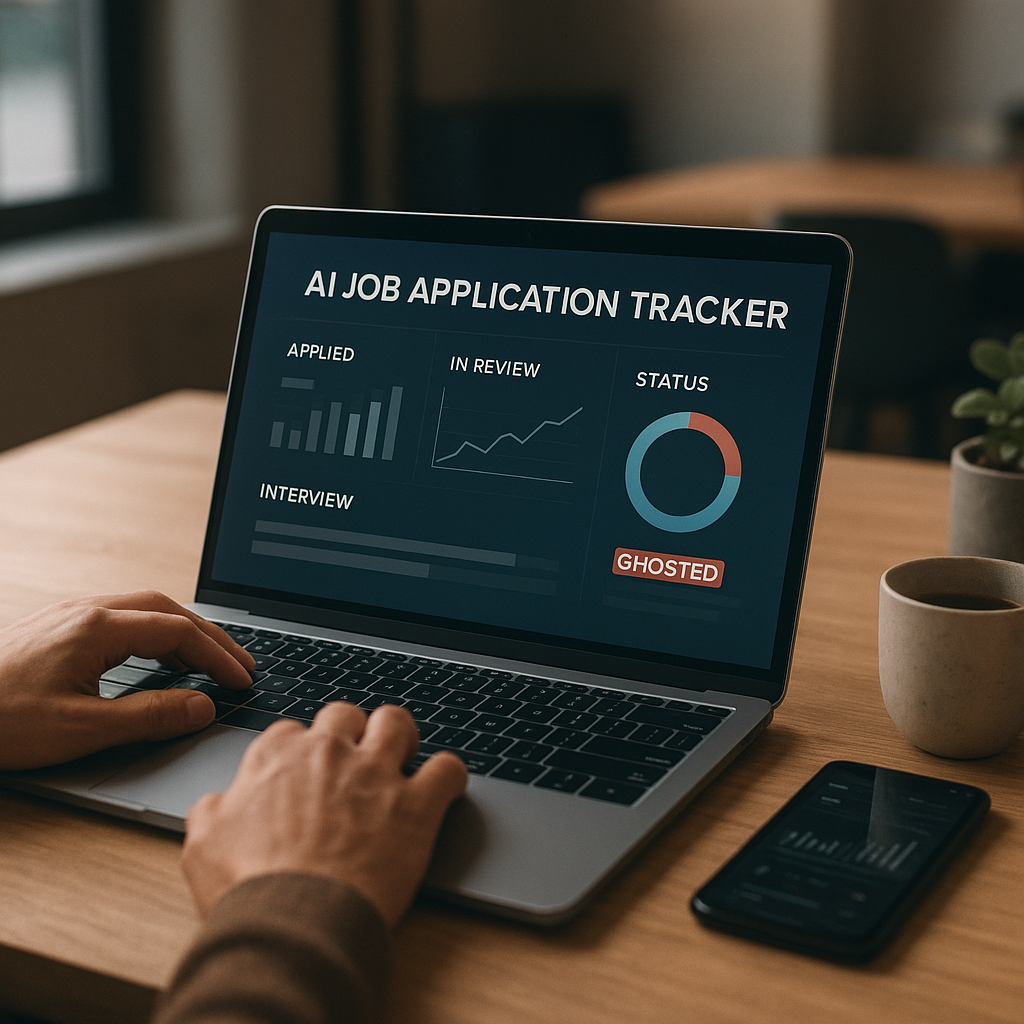
Recruiter Signals: How to Use Response-Time, View Rates & Rejection Patterns to Optimize Your Job Search
Most job seekers optimize resumes and keywords—but ignore the most actionable data: recruiter behavior. Learn how to interpret response-time windows, profile/resume view signals, and rejection patterns to adjust targeting, timing, and follow-ups for more interviews with fewer applications.

Most job seekers obsess over resumes, keywords, and cover letters—then treat the rest of the search like a black box. But in 2025, you have access to something far more actionable than another bullet rewrite: recruiter behavior data.
Response-time windows, view rates, and rejection patterns tell you how the market is actually reacting to you—role by role, company by company. When you track these signals like a marketer tracks conversions, you can stop “applying harder” and start optimizing: better targeting, smarter timing, tighter follow-ups, and fewer wasted applications.
Below is a practical, data-driven framework for reading recruiter signals in 2025—and adjusting your strategy week by week to get more interviews with less effort.
Why recruiter signals matter more in 2025
Hiring teams are moving faster in some places and slower in others, and both behaviors carry meaning:
- More automation upstream (ATS screens, knock-out questions, auto-rejections) means early signals can be binary and fast.
- More internal complexity (multi-step approvals, hybrid/remote constraints, budget freezes) means “no response” isn’t always about you—but it is a signal about prioritization.
- More competition per role remains common. While exact applicant-per-role varies widely, it’s routine for visible postings on large platforms to attract hundreds of applicants—which means small differences in timing and relevance can change outcomes.
In other words: you can’t control the market, but you can control how quickly you detect what’s working—and pivot.
The 3 recruiter signals to track (and what they actually mean)
1) Response-time windows (how fast you hear anything)
Response-time includes any meaningful movement: a recruiter email, a screening invite, a request for availability, a rejection email, or even an “application viewed” update (where available).
#### What to track
For each application, log:
- Application date/time
- First response date/time
- Response type (screening, rejection, request for info, silence)
- Role status (open, paused, reposted, filled)
#### How to interpret response-time in 2025
Use these practical “windows”:
- 0–72 hours: High signal zone
If you’re going to get traction for many roles—especially high-volume roles—this is often when it happens. Quick movement can indicate:
- You match the requirements clearly
- The role is actively being worked right now
- They’re trying to fill fast (or have an interview slate to build)
- 4–10 days: Medium signal zone
Often means:
- Batch review cycles (weekly recruiter workflow)
- Hiring manager availability delays
- You’re “maybe,” not an instant yes/no
- 11–21 days: Low signal, but not dead
Still possible, especially for:
- Roles requiring multiple approvals
- Specialized roles with fewer qualified candidates
- Companies with slower recruiting ops
- 21+ days with no movement: Treat as “closed” for your planning
Not emotionally—operationally. Archive it, and don’t let it consume follow-up energy.
#### Actionable optimization
- If your interviews mostly come within 0–7 days, prioritize newer postings and refine your “first 48 hours” strategy (more on that below).
- If you rarely hear back quickly but occasionally get interviews later, focus on quality targeting and strategic follow-ups, not volume.
2) View rates (profile views, resume opens, link clicks)
“Viewed” signals are imperfect—different platforms define them differently—but they’re still useful when tracked consistently.
#### What counts as a view signal
Depending on where you apply, you might see:
- “Application viewed” / “Resume viewed”
- Recruiter profile views (LinkedIn-type platforms)
- Portfolio link clicks (if you use tracked links)
- Email open/click rates (if you use a trackable outreach link)
#### What view rates tell you
Think of views as top-of-funnel performance:
- Low view rate (few opens) often means:
- Your application isn’t getting surfaced (timing, filters, ATS ranking)
- Your resume file format or labeling is awkward
- Your targeting is off (applying to roles you don’t match, causing low retrieval)
- High view rate but low interview rate suggests:
- Your resume/portfolio isn’t converting once opened
- Your headline/summary isn’t aligned to the job
- Your experience is credible, but the role requires a specific hard requirement you didn’t make obvious
#### A practical metric: “View-to-Next-Step Rate”
Track:
- View-to-screen: views that turn into recruiter calls
- View-to-rejection: views that lead to a rejection within 1–5 days
If you’re getting views but not screens, your problem is not discoverability—it’s positioning.
#### Actionable optimization
- Improve top third of resume (headline + 2–3 line summary + core skills) to match the job’s language.
- For each target role family, create a role-specific “proof block”: 3 bullets with measurable outcomes tied to the most repeated requirements.
Example (Project Manager role family):
- “Led cross-functional delivery for 12-person team; shipped 8 releases in 6 months; reduced cycle time 18%.”
- “Owned roadmap + stakeholder comms across Product/Eng/CS; improved on-time delivery from 72% to 89%.”
- “Implemented Jira workflows + WIP limits; cut carryover 25% quarter-over-quarter.”
3) Rejection patterns (timing, wording, and clustering)
Rejections are data. The trick is separating:
- Process rejections (ATS/knockouts)
- Fit rejections (role alignment)
- Competition rejections (strong candidates; nothing “wrong”)
- Freeze rejections (role changed/paused)
#### Pattern A: Same-day or next-day rejection
Often indicates:
- Knockout question mismatch (work authorization, location, salary, years required)
- Hard requirement missing (certification, domain experience)
- Automated screening threshold
What to do
- Audit your knockout answers (and don’t “wishful-answer”—it backfires).
- If the requirement is real and non-negotiable, remove that role type from your targets.
- If you do meet it, make it unmissable in the top third of your resume (e.g., “US Citizen,” “PMP,” “Active TS/SCI,” “5+ years in…”).
#### Pattern B: Rejection after 7–14 days
Often indicates:
- Human review happened
- You were considered but didn’t make the shortlist
What to do
- Your resume is “close” but not compelling enough. Tighten:
- Role-specific keywords (not stuffed—mirrored naturally)
- Impact metrics
- Recency of relevant work (move it up; de-emphasize older unrelated roles)
#### Pattern C: Rejections cluster from certain companies or industries
Often indicates:
- A specific industry expects certain credentials, tools, or narrative
- Your positioning doesn’t translate
What to do
- Build an industry variant of your resume:
- Same truth, different emphasis
- Industry-specific tooling and outcomes
- Domain vocabulary (compliance, SLAs, CAC/LTV, SOC2, HIPAA, etc.)
#### Pattern D: “Position has been filled” fast + repost appears later
Often indicates:
- They filled with an internal candidate OR paused then reopened
- They’re pipeline-building
- The posting is used to gather resumes but hiring is not immediate
What to do
- Don’t chase reposts blindly. Apply once with a strong package, then shift to:
- Networking into the team
- A short value-forward note to the recruiter/hiring manager
The “Recruiter Signal Dashboard”: a simple way to run your search like a funnel
You don’t need a complex spreadsheet—just consistent fields.
Track these 8 data points for every application
1. Company + role + requisition link
2. Date applied (and time zone)
3. Source (company site, referral, platform)
4. Posting age (days since posted)
5. View status (if available)
6. First response time (days)
7. Outcome (screen / rejection / silence)
8. Notes (knockouts, recruiter name, follow-up date)
Weekly review questions (15 minutes every Friday)
- Where am I getting the fastest response times?
- Which role family has the best view-to-screen rate?
- Are rejections happening immediately (knockouts) or after review (positioning)?
- Which sources convert best (company site vs. platform vs. referral)?
- What 1–2 changes will I run as experiments next week?
Treat your job search like A/B testing:
- One change at a time
- Two weeks per test
- Then keep what works
2025-specific tactics: timing, targeting, and follow-up based on signals
Timing: “First 48 hours” strategy (when it matters)
If your best responses come quickly, prioritize:
- New postings (0–3 days old) for high-volume roles
- Apply early in the week when recruiters often triage pipelines (varies by company, but Monday–Wednesday is commonly active)
- Apply at a time when your application is likely to be seen during working hours in the company’s primary time zone
Signal-based rule:
If roles older than 10 days rarely respond, stop spending prime time on them unless you have a referral.
Targeting: narrow to the roles that are actually converting
Most job seekers widen the net when stressed. Data usually says to do the opposite.
Use your signals to choose:
- 2 role titles (max 3) to focus on
- 2 industries you convert in
- 1–2 seniority bands you consistently get screens for
When your view rates and response times improve, your application volume can drop without hurting results.
Follow-up: tie cadence to response-time patterns
Generic follow-up advice (“follow up in a week”) is too blunt. Instead:
- If the company tends to respond within 0–7 days, follow up on day 5–6.
- If they tend to respond within 8–14 days, follow up on day 9–10.
- If it’s 21+ days, a follow-up is fine once—but don’t loop every week.
#### A modern follow-up template (short and specific)
Subject: Re: [Role] — quick follow-up
Hi [Name],
Quick follow-up on the [Role] application I submitted on [date]. I’m a strong match for [top requirement] and [second requirement]—recently I [1-line proof with metric].
If helpful, I can share a 1-page overview of relevant projects. Is the team still reviewing candidates this week?
Thanks,
[Name] | [LinkedIn] | [Portfolio]
Tools in 2025: what helps, what doesn’t (honest pros/cons)
Spreadsheets (Google Sheets/Excel)
Pros
- Fully customizable
- Free
- Great for DIY analysis
Cons
- Easy to stop updating
- No built-in ATS feedback
- Hard to capture insights across versions of resumes
Best for: disciplined job seekers who love manual tracking.
Notion/Airtable
Pros
- More flexible dashboards
- Great for notes, templates, and workflows
Cons
- Still manual
- Easy to overbuild a system instead of applying
Best for: organized planners who want a “job search HQ.”
Apply4Me (job search optimization suite)
If you want recruiter-signal tracking without building your own stack, Apply4Me is designed around the behaviors described above.
Unique strengths for recruiter-signal optimization
- Job tracker that centralizes applications, dates, and outcomes so you can spot response-time patterns quickly
- ATS scoring to sanity-check whether your resume is likely to pass initial screens for a specific posting
- Application insights to identify drop-offs (e.g., lots of applications but low views/screens) and nudge your next move
- Mobile app so you can log updates immediately (which matters—backfilled data gets inaccurate fast)
- Career path planning to help you choose role families and skill gaps based on where you’re actually getting traction
Limitations to be aware of
- Any ATS score is directional—not a guarantee (companies configure filters differently)
- View data isn’t always available from every platform, so you still need consistent personal tracking habits
Best for: job seekers who want structure + insights without maintaining a complex spreadsheet.
Implementation: a 14-day recruiter-signal experiment plan (copy/paste)
Days 1–2: Set your baseline
- Pick two target role titles
- Apply to 8–12 roles you genuinely match
- Track each application with the 8 data points above
Days 3–7: Instrument your funnel
- Add a trackable portfolio link (if relevant)
- Create a role-specific “proof block” for each title
- Standardize your resume file naming: First_Last_Role_Company.pdf (small detail, but it reduces friction)
Days 8–10: Review early signals
- Calculate:
- Average response time
- View-to-screen rate
- Same-day rejection rate
- Identify the biggest bottleneck:
- Low views = targeting/ATS alignment
- Views but no screens = positioning
- Late rejections = competitive shortlist issue
Days 11–14: Run one improvement test
Pick one:
- Rewrite top third of resume to mirror the job’s top 5 requirements
- Add 2 quantified bullets to your most relevant role
- Narrow targeting to the best-converting title/industry combo
- Change timing: prioritize roles posted in last 72 hours
Then re-measure.
The goal isn’t perfection in two weeks—the goal is to stop guessing and start iterating.
Conclusion: stop applying in the dark
In 2025, the job search isn’t just about having a great resume—it’s about reading the market’s feedback faster than other candidates. When you track response-time windows, view rates, and rejection patterns, you’ll know exactly what to change: targeting, timing, resume positioning, or follow-up cadence.
If you want a cleaner way to track these recruiter signals and turn them into next steps, Apply4Me can help—with a built-in job tracker, ATS scoring, application insights, a mobile app for quick updates, and career path planning to focus your effort where it converts.
Try it for a couple of weeks like an experiment. The best job-search strategy is the one you can measure—and improve.

Jorge Lameira
Author