Job search dashboard for applications (with AI insights)
Build a job search dashboard for applications that shows what’s working (and what isn’t) across roles, companies, and channels. Learn the exact fields to track, the KPIs that predict interviews, and how AI insights can help you prioritize the next best applications faster.

Your job search shouldn’t feel like a black box. If you’ve sent 50+ applications and can’t tell which roles, companies, or channels are actually moving you toward interviews, you don’t need more hustle—you need a job search dashboard for applications that turns scattered effort into clear, repeatable results.
In 2026, hiring is faster in some pipelines (especially high-volume roles) and slower in others (specialized roles with heavy screening). AI screening, ATS filters, and multi-step interview loops make it easy to waste time on the wrong applications. A dashboard—paired with AI insights—gives you visibility into what’s working (and what isn’t), so you can prioritize the next best applications with confidence.
Below is a practical, step-by-step guide: the exact fields to track, the KPIs that predict interviews, and how to use AI to improve conversion rates at every stage.
Why you need a job search dashboard for applications (not just a spreadsheet)
Most people track only “Applied / Interview / Rejected.” That’s not enough to improve outcomes because it doesn’t explain why you’re getting interviews—or why you aren’t.
A proper dashboard does three things:
1. Diagnoses bottlenecks (ATS screening, weak targeting, poor channel mix, slow follow-up).
2. Improves your conversion rates (application → recruiter screen → interview loop → offer).
3. Protects your time by prioritizing the highest-probability next steps.
In 2026, job seekers who treat their search like a measurable funnel tend to move faster because they can iterate weekly—rather than guessing for months.
The core structure: what your dashboard should include
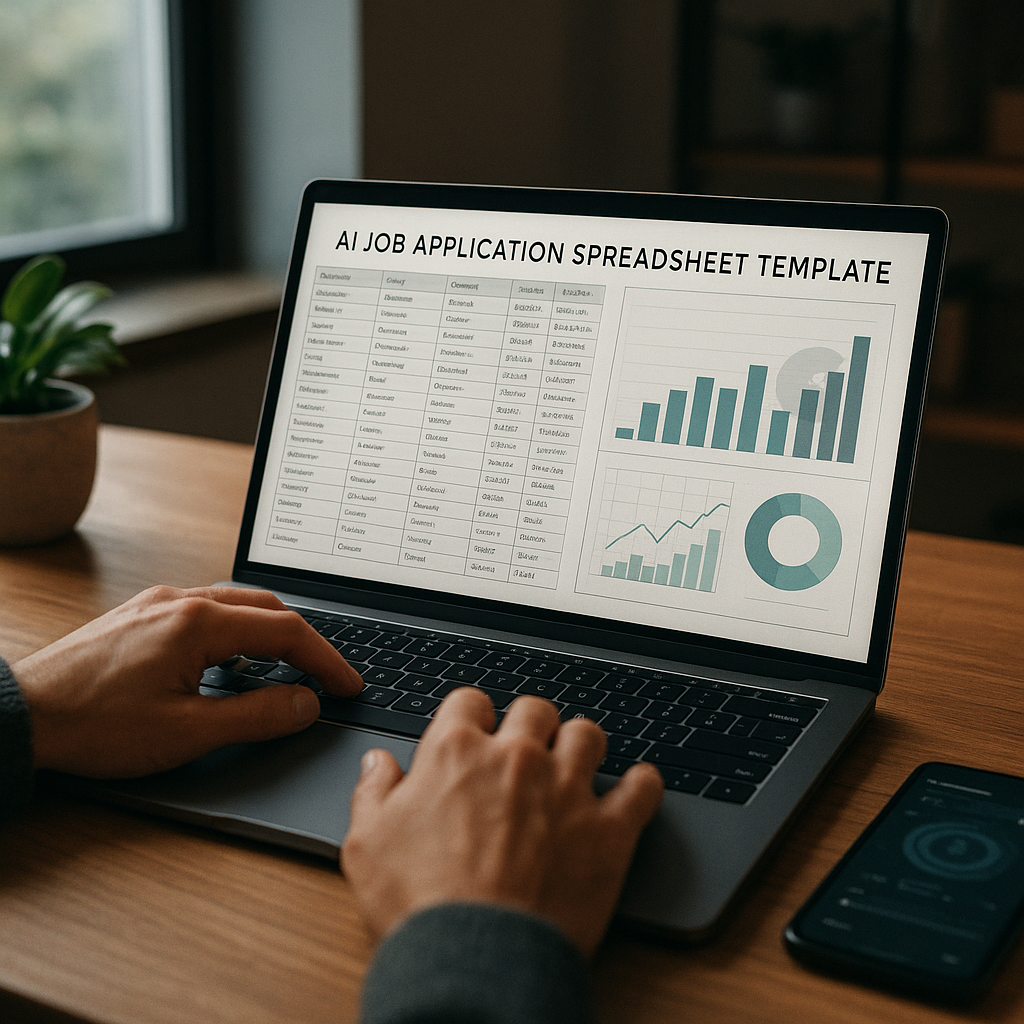
You can build a dashboard in Notion, Google Sheets, Airtable, or a dedicated tracker. The tool matters less than the data model.
Think in three layers:
- Application-level fields (one row per application)
- Outcome and process fields (what happened and when)
- Insight fields (why it worked, what to do next)
The exact fields to track (copy/paste checklist)
These fields are practical, not theoretical. Track only what you’ll use to make decisions.
#### 1) Job + company fields
- Company
- Role title
- Role level (Intern/Junior/Mid/Senior/Lead)
- Function (Marketing, Data, Sales, Product, Ops, etc.)
- Location / Remote policy
- Employment type (FT/Contract)
- Comp range (if listed) + your target
- Job posting URL
- Job ID / Requisition # (prevents duplicates)
- Date posted (or “posting age” estimate)
#### 2) Channel + sourcing fields (this is where wins hide)
- Channel (LinkedIn, company site, referral, recruiter outreach, job board, community, event)
- Source detail (e.g., “LinkedIn Easy Apply” vs “LinkedIn company page”)
- Referral? (Y/N)
- Recruiter contacted? (Name + LinkedIn/email)
- Networking touchpoints (0 / 1–2 / 3+)
#### 3) Application quality fields
- CV version (A/B/C)
- Cover letter (None / Template / Tailored)
- Portfolio attached (Y/N)
- Work authorization required? (Y/N)
- Must-have match score (your rating) (1–5)
- Nice-to-have match score (1–5)
- ATS score (if available)
#### 4) Status + timestamps (these power your KPIs)
- Application date
- Status (Applied / Screen / Interview 1 / Case / Final / Offer / Rejected / Ghosted)
- Last activity date
- Next action (Follow-up, prep, referral request, withdraw, etc.)
- Next action date
- Response time (auto-calc: first response date – application date)
#### 5) Outcome + learning fields
- Outcome (Rejected / No response / In process / Offer)
- Rejection stage (Auto-reject, recruiter screen, HM, case, final)
- Reason (if known) (skills gap, location, visa, comp, timing)
- Notes: what I’d do differently next time
- Tag (Dream / Target / Backup)
If you track only these fields consistently for 2–3 weeks, you’ll start seeing patterns that change your search strategy.
KPIs that predict interviews in 2026 (and what “good” looks like)
A dashboard is only useful if it drives decisions. These are the KPIs that reliably show whether your system is working.
1) Interview Rate (IR)
Interview Rate = interviews ÷ applications
Use two versions:
- IR (overall): includes everything
- IR (high-intent): only roles where you’re a strong match (must-have match score 4–5)
Interpretation
- Low overall IR but high high-intent IR = your targeting is fine; your channel mix may be noisy.
- Low high-intent IR = resume/ATS fit or positioning problem.
2) Channel-to-interview yield
Channel yield = interviews from channel ÷ applications from channel
This is often the single biggest lever. Many job seekers over-apply on low-yield channels because they’re fast.
What to do
- Double down on top 1–2 channels.
- Reduce or automate low-yield channels (more on this below).
3) Time-to-first-response
Track the number of days until any response (screen, rejection, recruiter email).
Why it matters
If one channel consistently responds within a week and another drags for weeks, your pipeline planning should reflect that—especially if you’re employed and time-constrained.
4) Follow-up conversion
Follow-up conversion = positive responses after follow-up ÷ follow-ups sent
A dashboard makes follow-ups systematic instead of emotional. Many roles get filled quickly; a structured follow-up sequence can keep you in the running.
5) Offer velocity indicators (leading signals)
Offers are lagging indicators. Track leading signals that predict offers:
- Hiring manager interviews per month
- Case study invites per month
- Final rounds per quarter
If these are flat at zero, your dashboard should point to the exact bottleneck (ATS, pitch, interview performance, role fit, or weak networking).
How AI insights make your dashboard smarter (and faster)
AI is most useful in a job search when it helps you prioritize and iterate—not when it writes generic content.
Here are the highest-impact AI insights to build into your workflow:
AI insight #1: “Next Best Application” scoring
Create a simple priority score (1–100) based on factors that correlate with interviews:
- Must-have match score (your rating)
- Recency of posting
- Channel yield (from your own data)
- ATS score (if you have it)
- Referral availability (do you have a 2nd-degree connection?)
- Time required to apply (quick vs heavy)
Actionable rule
Only apply today to roles scoring 80+. Queue 60–79 for networking-first. Skip or deprioritize below 60 unless you’re exploring.
AI insight #2: ATS + keyword gap detection
Use AI to compare your resume to the job description and return:
- Missing core keywords (skills, tools, titles)
- Role-specific phrasing (e.g., “stakeholder management” vs “cross-functional collaboration”)
- Red flags (misaligned title, seniority mismatch)
This doesn’t mean keyword stuffing. It means ensuring the language matches the role.
AI insight #3: Pattern recognition across outcomes
Once you have 30–50 rows of data, AI can help summarize patterns like:
- “You get interviews when you apply within 3 days of posting.”
- “Referrals produce 4x higher interview yield.”
- “Roles requiring X certification stall at ATS stage.”
Those insights should drive your next week’s plan.
AI insight #4: Interview prep tied to each application
Your dashboard should connect each active role to:
- likely interview questions
- role/company-specific talking points
- prep deadlines (e.g., 48 hours before screen)
This is where AI can reduce prep time while improving quality.
The easiest way to get this dashboard (without building it from scratch)
You can build this in a spreadsheet. But if you want a system that also executes and learns, a tool can save significant time.
A good example is Apply4Me, which combines the dashboard/tracker concept with AI-driven execution:
- Auto-Apply: finds and matches jobs to your profile, adapts your CV to each role, generates a tailored cover letter, and submits applications automatically (with an optional review-before-send). It also tracks every auto-applied job so you don’t duplicate or lose applications.
- ATS scoring + application insights/analytics: helpful for understanding why some applications don’t convert and where you should adjust.
- Interview Assistant: generates likely interview questions for the role and company, plus guidance and practice to build confidence.
- Mobile + Web continuity: start on mobile and continue on web (or vice versa) with your profile, CV, applications, and tracker synced—useful when you’re applying on commutes and refining on a laptop later.
- Career path planning: keeps your targeting aligned with roles that actually ladder toward your goals.
This is especially useful if your biggest bottleneck is time: repetitive tailoring, tracking, and staying organized across devices.
Step-by-step: Build your job search dashboard for applications in 60 minutes
If you want to DIY (or even if you use a tool), this setup will give you a clean baseline.
Step 1: Create your stages and definitions (10 minutes)
Define stages so you don’t “move rows” inconsistently:
- Applied
- Recruiter screen
- Interview 1
- Interview 2 / Panel
- Assessment / Case
- Final
- Offer
- Rejected
- Ghosted (no response after X days)
Pro tip: Set “Ghosted” to something like 21–28 days depending on your industry.
Step 2: Add the minimum fields you’ll actually maintain (10 minutes)
Start with:
- Company, Role, URL, Channel, Applied date, Status, Next action date
Then add:
- Must-have match (1–5)
- CV version
- ATS score (if available)
- Notes
Don’t add 30 columns on day one if you won’t fill them.
Step 3: Create three views (15 minutes)
You need views that match how you work:
1. Today view: Next action date = today or overdue
(This reduces mental load immediately.)
2. Pipeline view: grouped by status stage
(This shows if your search is “stuck” at applied.)
3. Insights view: pivot by channel, role type, location, seniority
(This is where strategy changes happen.)
Step 4: Add KPI formulas (15 minutes)
At minimum:
- Applications this week
- Interviews this week/month
- Interview rate overall
- Interview rate by channel
- Median time-to-first-response
If you’re using Sheets, a pivot table + COUNTIFs is enough.
Step 5: Run a weekly review (10 minutes)
Pick one day (e.g., Sunday) and answer these questions:
- Which channel produced the best interview yield this week?
- Which role family is converting best?
- Where is the funnel breaking (ATS → screen, screen → interview, etc.)?
- What 1 change will I test next week?
Your dashboard becomes powerful when you iterate weekly, not when it looks pretty.
What to do when your dashboard reveals the problem (quick playbook)
Here are common “dashboard diagnoses” and exactly what to change.
If you’re getting rejected fast (0–3 days)
Likely ATS filter or basic mismatch.
Fix
- Increase must-have match threshold.
- Improve ATS alignment: adjust title framing, add missing tools, tighten summary.
- Apply earlier: prioritize postings under 7 days old.
If you get recruiter screens but no next rounds
Your resume is strong enough, but messaging/interview story isn’t landing.
Fix
- Write 3 role-specific stories using the same structure: Problem → Actions → Metrics → Impact.
- Practice questions tied to the job and company. (This is where an interview assistant helps.)
If you get interviews only from referrals
Your cold-apply channel is underperforming.
Fix
- Shift time allocation: aim for a weekly target like 5 high-quality applications + 10 networking touches.
- Add “referral availability” to your priority score so you network-first when it matters.
If you’re applying a lot but pipeline is thin
Your effort is high, but quality and focus may be low.
Fix
- Limit active role families to 1–2 for 30 days.
- Create 2–3 tailored resume variants for those role families.
- Use automation for low-yield channels so your energy goes to high-yield work.
Apply4Me vs spreadsheets vs other trackers (honest comparison)
Below is a practical comparison so you can choose based on your bottleneck: organization vs execution vs insights.
| Option | Best for | Pros | Cons |
|---|---|---|---|
| Google Sheets / Notion | DIY organizers who want full control | Free/cheap, customizable, flexible | Manual entry, easy to fall behind, no built-in AI execution |
| Airtable | People who want database + views | Strong filtering/views, good for pipelines | Setup time, can get complex, still mostly manual |
| Basic job trackers (browser extensions, simple apps) | Lightweight tracking | Quick to start | Often lacks deep analytics, ATS scoring, or interview prep |
| Apply4Me | People who want a dashboard plus automation + AI insights | Auto-Apply with tailored CV/cover letters, tracking to prevent duplicates, ATS scoring & analytics, interview assistant, mobile+web continuity, career path planning | Less “blank canvas” customization than a spreadsheet; best value if you’ll actually use automation/insights |
Verdict: If you’re organized but time-poor (or overwhelmed by tailoring + tracking), a tool like Apply4Me can replace multiple workflows at once. If you love building systems and have time to maintain them, a spreadsheet can work—just be prepared to update it daily.
Conclusion: turn your job search into a measurable system (and move faster)
A job search dashboard for applications is the simplest way to stop guessing and start improving. Track the right fields, watch the KPIs that predict interviews, and use AI to prioritize the applications most likely to convert—so your effort compounds instead of scattering.
If you want the fastest path to a dashboard that also automates applications and surfaces insights, try Apply4Me free to auto-apply with tailored CVs/cover letters, track every application automatically, and focus your time on interviews—not admin.
Frequently Asked Questions
What is the best job search dashboard for applications?
The best dashboard is the one you’ll maintain daily and review weekly. Look for a system that tracks channel, role fit, dates, and outcomes—plus insights like ATS scoring and analytics if you want faster iteration.
What should I track in a job application dashboard?
At minimum: company, role, URL, channel, applied date, status, next action date, and notes. To make it predictive, add must-have match score, CV version, and response times so you can see what drives interviews.
How do AI insights help with job applications in 2026?
AI helps you prioritize roles, tailor resumes and cover letters efficiently, identify keyword gaps for ATS, and summarize outcome patterns across channels and role types. The best use of AI is decision support—helping you choose the next best applications faster.
Is auto-apply safe, and will it hurt my chances?
Auto-apply can help when it tailors documents per role and tracks submissions to avoid duplicates. It’s most effective when you keep quality controls (like review-before-send) for high-priority roles and use automation strategically for volume where it makes sense.

Jorge Lameira
Author