AI job application tracker: how to fix ghosting
An AI job application tracker can reveal where your applications stall—ATS score, follow-up timing, or role fit—so you can stop getting ghosted and start landing interviews. Learn a simple workflow to tag applications, measure response rates, and take the next best action every week.
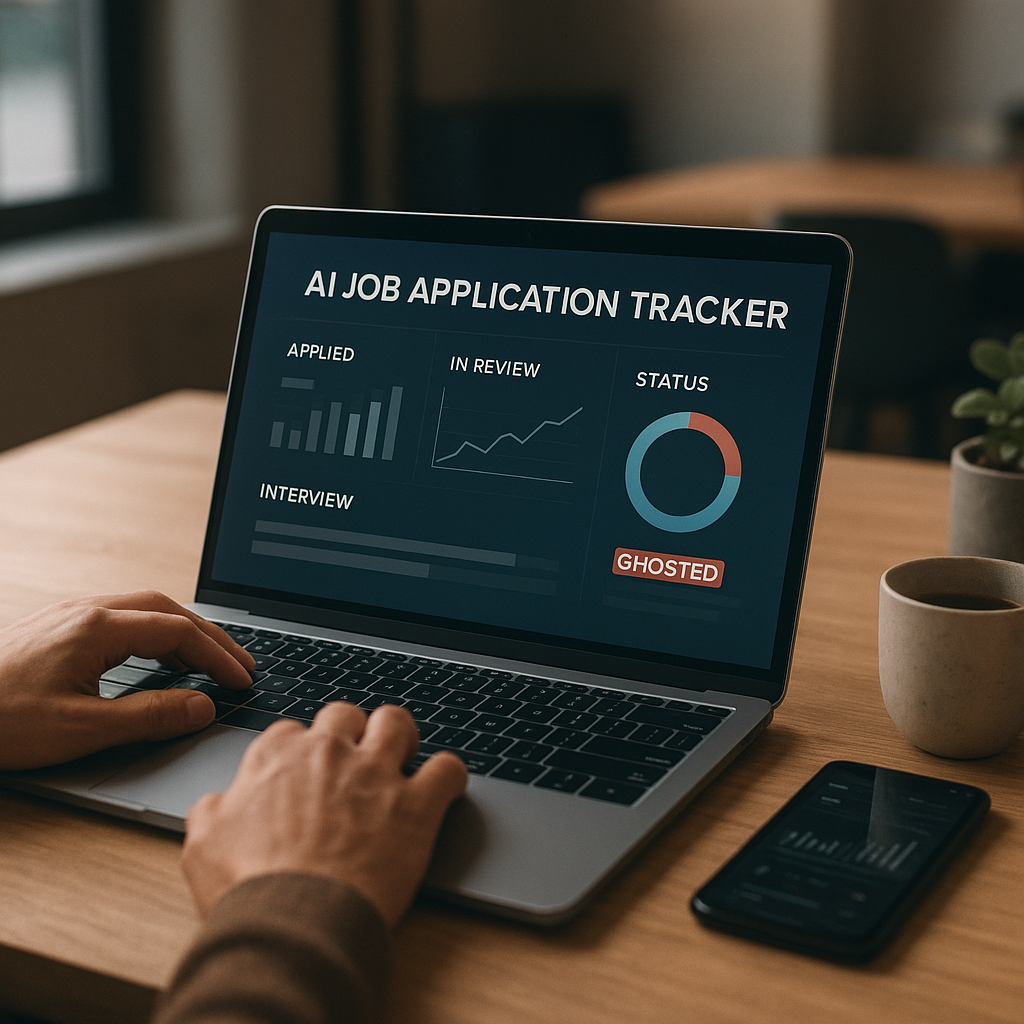
Getting ghosted after submitting dozens of applications isn’t just frustrating—it’s usually a signal that something in your process is leaking opportunities. The fastest way to find that leak is an ai job application tracker that shows where each application stalls (ATS alignment, follow-up timing, role fit, recruiter responsiveness) and what to do next. When you track the right fields and review your data weekly, you stop guessing—and start optimizing your pipeline like a sales funnel: clearer targeting, better follow-ups, more interviews.
Below is a practical 2026 workflow you can copy today: how to tag applications, measure response rates, spot bottlenecks, and take the next best action each week to reduce ghosting.
Why you’re getting ghosted in 2026 (and what a tracker can actually fix)
“Ghosting” is rarely personal. In 2026, it’s usually one (or more) of these structural issues:
- ATS filtering and ranking: Many employers use applicant tracking systems plus screening questions and AI-assisted ranking. If you’re below the cutoff, you may never reach a human.
- Role-fit mismatch: Your résumé might be strong, but not for that role level, domain, location, or tech stack.
- Timing and competition: Postings often receive a surge of applications in the first 24–72 hours. Late applications can be invisible even if qualified.
- Broken follow-up system: Most candidates follow up inconsistently (or not at all), and recruiters prioritize whoever stays politely visible.
- Process black holes: Some companies simply don’t close the loop, especially for high-volume roles.
A good ai job application tracker helps because it creates feedback loops. Instead of “I applied to 80 jobs and heard nothing,” you can say:
- “My ATS score drops below 70% when I don’t mirror tools and keywords from the job description.”
- “My response rate is 3× higher when I follow up 4–6 business days after applying.”
- “Roles tagged ‘stretch’ have a 0% interview rate; I should shift my mix.”
That’s how you turn ghosting into measurable, fixable signals.
What to track to diagnose ghosting (the minimum effective fields)
If your tracker is just “Company / Role / Date,” you’ll miss the patterns. Track these fields—either in a spreadsheet or in a dedicated tool—with a focus on decision-making.
Must-have columns (high impact, low effort)
- Job link + posting date (helps with timing)
- Application date (to time follow-ups)
- Source (LinkedIn, company site, referral, recruiter outreach)
- Stage (Applied → Screen → Interview → Final → Offer → Rejected → Ghosted)
- Last action date (so you know what’s stale)
- Next action + due date (prevents passive waiting)
Ghosting diagnosis fields (the “why” layer)
- ATS score / résumé match score (even a directional score is helpful)
- Role-fit tag (choose one: Safe / Target / Stretch)
- Seniority match (Junior / Mid / Senior, plus “overqualified” if relevant)
- Requirement gaps (e.g., “no AWS,” “no healthcare domain,” “no security clearance”)
- Follow-up count (0, 1, 2…)
- Contact method (email, LinkedIn message, recruiter portal)
- Signal quality (Strong / Medium / Weak—based on posting freshness + referral + recruiter responsiveness)
Simple tagging system (steal this)
Use tags you can filter quickly:
- FIT: Safe / Target / Stretch
- TIMING: Fresh (<7 days) / Warm (7–21) / Old (21+)
- CHANNEL: Referral / Recruiter / Direct / Easy-apply
- RISK: ATS-risk / Visa-risk / Location-risk / Clearance-risk
This is where an ai job application tracker shines: it can help you keep tags consistent, surface trends, and prompt next actions instead of letting applications drift into “silent limbo.”
How to use an ai job application tracker to fix ghosting (the weekly workflow)
The goal is not “track everything.” The goal is make one better decision per week based on your data. Here’s a workflow designed for busy job seekers.
Step 1: Set your baseline metrics (30 minutes, once)
Start with the last 20–30 applications (or your next 20). Calculate:
- Response rate: responses / applications
- Interview rate: interviews / applications
- Ghost rate: no response after 14 days / applications
- Referral lift: interview rate (referral) vs (non-referral)
- Timing lift: interview rate (applied within 72 hours) vs (later)
Benchmarks vary by role and seniority, but as a directional guide for many professional roles:
- If your interview rate is under ~5%, role targeting and/or ATS alignment is usually the first lever.
- If your response rate is decent but interviews aren’t converting, interview prep and story clarity become the lever.
- If your ghost rate is high, follow-up cadence + channel strategy often helps quickly.
Step 2: Add a “Next Best Action” rule to every application (10 minutes/day)
For each application, your tracker should force one of these next actions:
- Apply: tailor résumé + submit
- Connect: send recruiter/hiring manager message
- Follow up #1: 4–6 business days after applying
- Follow up #2: 7–10 business days after follow-up #1
- Escalate: find internal contact / referral request
- Close: archive (no response after 21–30 days), but keep notes
If your tracker doesn’t push you toward an action, it’s just a diary.
Step 3: Run a 20-minute “Friday pipeline review”
Filter your tracker to anything with:
- Stage = Applied and Last action > 6 business days
- Stage = Screen scheduled with no prep notes
- Stage = Ghosted with no follow-up sent
Then do the next best action for each item. No overthinking—just execution.
Step 4: Make one strategic change based on what the data says (not vibes)
Pick only one change per week:
- If ATS scores correlate with no responses, upgrade your résumé tailoring process.
- If “Stretch” roles dominate your list, rebalance to more “Target” roles.
- If Easy Apply roles are ghosting you, shift effort toward direct company sites + referrals.
- If older postings never respond, prioritize fresh listings and recruiter outreach.
This is the compounding advantage: small weekly fixes produce big monthly results.
The follow-up timing that reduces ghosting (templates + schedule)
A tracker is only as powerful as the actions it triggers. Here’s a follow-up schedule that’s effective in high-volume 2026 hiring without being pushy.
Follow-up schedule (copy/paste into your tracker)
- Day 0: Apply (tailored résumé + cover letter if appropriate)
- Day 4–6 business days: Follow-up #1 (recruiter or hiring manager)
- Day 12–16 business days: Follow-up #2 (polite bump + value angle)
- Day 21–30: Archive or pivot (unless role is still actively interviewing)
Follow-up #1 template (recruiter)
Subject: Application for [Role] — quick question
Hi [Name], I applied for the [Role] role on [Date]. I’m especially interested because of [specific reason tied to their team/product].
If helpful, I can share 1–2 examples of similar work: [1 relevant proof point]. Is the team currently reviewing applications for this role?
Thanks,
[Name] | [LinkedIn] | [Portfolio if relevant]
Follow-up #2 template (value bump)
Subject: Re: [Role] — one relevant example
Hi [Name], quick bump in case this got buried.
One relevant example: [1–2 lines describing measurable result aligned with JD]. If the role is still open, I’d love to be considered—happy to provide anything else you need.
Thanks again,
[Name]
Tracker tip: Add a field for “Message sent (Y/N)” and “Message angle” (proof point, portfolio, referral, availability). Over time, you’ll learn which angles get replies.
Where applications stall: ATS score vs role fit vs timing (how to spot the bottleneck)
Most ghosting falls into one of three buckets. Your tracker should make it obvious which one is happening.
1) ATS / résumé alignment stall
Symptoms in your tracker:
- Low ATS scores cluster in your “Ghosted” stage
- “Applied” entries rarely move to “Recruiter screen”
- You’re applying across very different job titles with one résumé
Fixes that work in 2026:
- Maintain 2–3 base résumés (e.g., “Data Analyst,” “BI Analyst,” “Product Analytics”) and tailor from the closest one.
- Mirror the job description’s tools + keywords where truthful (e.g., “Snowflake,” “Looker,” “stakeholder management,” “forecasting”).
- Put critical keywords in the Skills section and in experience bullets (ATS often weighs context).
2) Role-fit stall
Symptoms:
- ATS scores look fine, but no interviews
- “Stretch” tags dominate
- Rejections cite “more aligned candidates,” or silence follows
Fixes:
- Tighten your target: pick one primary title + one adjacent title for a 2–3 week sprint.
- Add a fit rule: only apply if you meet ~70% of core requirements (not every nice-to-have).
- Track “gap themes.” If “cloud” shows up repeatedly, plan a focused skill sprint and update projects.
3) Timing / channel stall
Symptoms:
- You apply to older postings
- Most applications are easy-apply with no human connection
- Referral applications outperform everything else
Fixes:
- Add a “Posting age” tag; prioritize Fresh roles.
- Shift effort: fewer applications, more high-signal ones (referrals, recruiter outreach, company site).
- Build a weekly goal like: “10 targeted applications + 10 outreach messages + 2 referral asks.”
Feature spotlight: how Apply4Me helps you stop losing applications (and stop getting ghosted)
If you’re serious about reducing ghosting, the best systems do three things: improve match quality, automate consistency, and keep your pipeline visible. Apply4Me is designed around those exact levers:
- Auto-Apply: Finds and matches jobs to your profile, skills, and preferences, then adapts/tailors your CV to each matched job, generates a tailored cover letter per application, and submits applications automatically (with an optional review-before-send). Crucially, it tracks every auto-applied job so nothing gets duplicated or lost—one of the most common reasons follow-ups fail.
- ATS scoring: You can sanity-check alignment before you sink time into roles that will likely stall at the screening layer.
- Job tracker + application insights/analytics: Instead of guessing, you can see patterns like which sources respond, which titles convert, and where your pipeline stalls.
- Interview Assistant: When you do get a response, it helps you prepare with likely interview questions for that specific role and company—so you convert more of your hard-won screens into next rounds.
- Mobile + Web continuity: Start on mobile, continue on web (or vice versa). Your profile, CV, applications, and tracker stay in sync—no “desktop-only” job-search bottleneck.
- Career path planning: Useful for correcting role-fit issues over time (e.g., what roles your current skills map to and what gaps to close).
This isn’t about applying to everything. It’s about applying consistently, trackably, and strategically—and then acting on the data.
AI job application tracker comparison (spreadsheet vs dedicated tools)
A spreadsheet can work—until it doesn’t. Here’s an honest comparison so you can choose what fits your situation.
| Option | Pros | Cons | Best for |
|---|---|---|---|
| Spreadsheet (Google Sheets/Excel) | Free, fully customizable, easy to export | Manual entry gets skipped, no automation, no ATS scoring, weak reminders | Organized self-starters with low volume |
| Notion/Airtable-style tracker | Better UI, templates, tagging/filtering | Still manual, can become “maintenance work” | Mid-volume applicants who like dashboards |
| Dedicated AI tracker + automation (e.g., Apply4Me) | Job matching, tailored CV/cover letter per role, auto-apply with tracking, ATS scoring, analytics, interview prep, synced mobile + web | Less customizable than a blank sheet; you need a solid profile for best matches | Anyone applying at scale who wants fewer leaks + more interviews |
Verdict: If ghosting is your main problem, you need two things: (1) better targeting/ATS alignment and (2) consistent follow-up actions. Spreadsheets handle (2) only if you’re disciplined; a dedicated ai job application tracker can handle both by combining tracking with matching, scoring, and insights.
A simple weekly plan to reduce ghosting (copy this checklist)
Use this exact cadence for 4 weeks and you’ll have enough data to know what’s broken.
Daily (15–25 minutes)
- Apply to 2–5 Target roles (not random roles)
- Log each one with: source, fit tag, ATS score (if available), next action date
- Send 1–3 outreach messages (recruiter/hiring manager or internal contact)
Twice a week (30 minutes)
- Tailor one résumé version based on the top 5 recurring keywords in your target roles
- Add one proof point to your portfolio/LinkedIn (project, metric, case study)
Friday review (20 minutes)
- Filter: “Applied + last action > 6 business days”
- Send follow-up #1 or #2
- Archive anything older than 30 days (unless you have an active thread)
Metrics to watch (weekly)
- Interview rate by fit tag
- Response rate by source
- Ghost rate by posting age
- Conversion rate from screen → interview
If you implement only one thing from this article, implement the Friday review. It’s the difference between “waiting” and “managing a pipeline.”
Conclusion: stop guessing—track the stall, fix the stall
Ghosting feels random until you collect enough signal to see patterns. The right ai job application tracker helps you identify whether the stall is ATS alignment, role fit, or follow-up timing—then turns that insight into consistent next actions that lead to interviews.
Try Apply4Me free to auto-track every application, improve ATS alignment with tailored CVs, and get weekly insights on what’s stalling your pipeline—so you can spend less time in silence and more time in interviews.
Frequently Asked Questions
What is an ai job application tracker?
An ai job application tracker organizes your applications and uses automation or analytics to highlight patterns—like which roles convert, where your process stalls, and what follow-up to send next. The best ones also support job matching, ATS scoring, and reminders so applications don’t slip into “no response” limbo.
How long should I wait before following up on a job application in 2026?
A good rule is 4–6 business days after applying for follow-up #1, then 7–10 business days later for follow-up #2. If there’s still no response after about 21–30 days, archive it and focus on fresh roles—unless you have an active internal contact.
Can an ATS score really affect whether I get ghosted?
Yes. If your résumé doesn’t match key requirements (skills, tools, title language), you may be filtered out before a human review. Tracking ATS score or match quality helps you see whether low-alignment applications correlate with silence.
Is it better to apply to more jobs or fewer targeted jobs?
For most candidates, fewer targeted applications with strong fit + consistent follow-up beats high-volume random applying. Your tracker should prove this to you: compare interview rates for “Target” roles vs “Stretch” roles and adjust your mix accordingly.

Jorge Lameira
Author