AI job application tracker with reminders (2026 guide)
If you’re losing track of deadlines, follow-ups, and recruiter replies, an ai job application tracker with reminders can keep your search moving without missed opportunities. This guide shows exactly what to track, how to set reminder rules, and how to use insights to apply smarter—not just more.
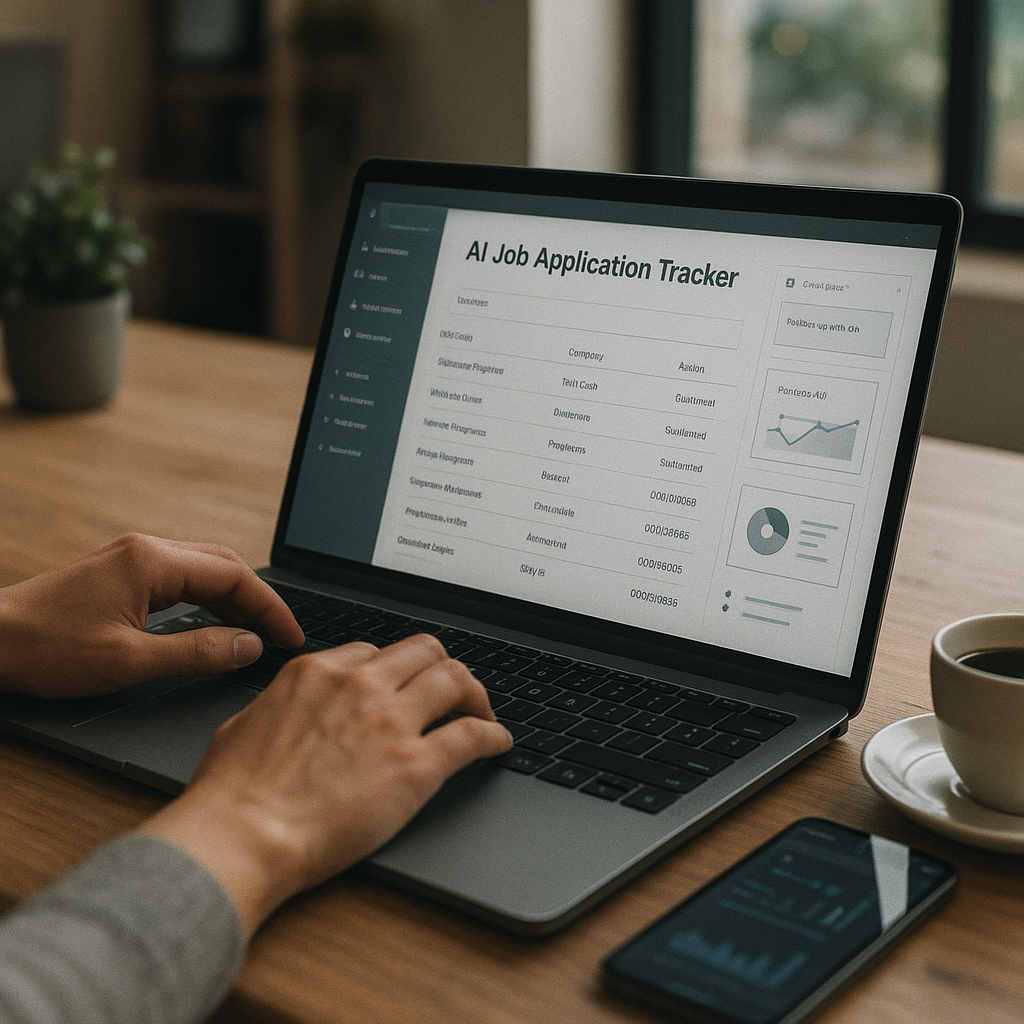
If you’re losing track of deadlines, follow-ups, and recruiter replies, an ai job application tracker with reminders can keep your search moving without missed opportunities. In the 2026 job market—where many roles get hundreds of applicants in days and timelines move fast—“I’ll remember to follow up” is rarely a winning system. This guide shows exactly what to track, how to set reminder rules, and how to use insights to apply smarter—not just more.
You’ll also see how modern tools (including Apply4Me) combine tracking, ATS scoring, analytics, and interview prep so your job search runs like a pipeline instead of a guessing game.
Why an ai job application tracker with reminders matters in the 2026 job market
In 2026, job searching is less about sending “a lot” and more about managing a repeatable process:
- Shorter attention windows: Many recruiters screen early batches first. If your follow-up is late, you can miss the moment a hiring manager is actively reviewing.
- More moving parts per application: Resume versioning, portfolio links, work authorization, assessments, referrals, interview loops, and scheduling links all create “drop points.”
- Higher volume for competitive roles: Remote/hybrid positions often attract larger applicant pools, which increases the value of being organized, responsive, and fast.
A tracker with reminders acts like a lightweight CRM for your job search—helping you:
- stay consistent with follow-ups,
- avoid duplicate applications,
- prioritize roles where you’re most competitive,
- and learn what’s actually working via analytics.
What should you track in an AI job application tracker? (The 2026 checklist)
Most people track too little (just “Applied” and “Company”) or too much (a spreadsheet nobody updates). Track the fields that directly drive decisions and reminders.
Must-have fields (the essentials)
These should exist for every application:
- Company + role title
- Job link + source (company site, LinkedIn, recruiter, referral, etc.)
- Location + work mode (remote/hybrid/on-site) and any constraints
- Date applied + time zone
- Current stage (Saved → Applied → Screen → Hiring manager → Onsite/Panel → Offer/Closed)
- Primary contact (recruiter name, email/LinkedIn, or “unknown”)
- Next action + next action date (this is your reminder trigger)
The fields that make reminders actually useful
These power smart follow-ups instead of random nudges:
- Response SLA (your rule): e.g., “Follow up 5 business days after apply if no reply”
- Last interaction date: last email, call, LinkedIn message, or interview
- Interview dates + format: phone, video, onsite, async, assessment
- Comp range + target band
- Work authorization / sponsorship notes
- Referral status: requested, confirmed, submitted
“Apply smarter” fields (where AI + insights pay off)
Track these to improve conversion rates over time:
- Resume/CV version used (e.g., “Data Analyst v4 – SQL-heavy”)
- ATS score / keyword coverage (if your tool provides it)
- Core requirements match: 1–5 rating or “met / partially / missing”
- Reason you’re a fit (2 bullets): great for follow-ups and interview prep
- Outcome reason (when rejected): overqualified, missing X, role closed, etc.
Best practice: If you only add one habit, make it this: every application must have a Next action and date. That’s how reminders prevent opportunities from slipping.
How to set reminder rules that recruiters actually respond to (templates included)
The best reminder system is simple, consistent, and stage-based. Below are rules you can copy into your tracker.
Reminder rules by stage (recommended defaults)
Use business days for professional roles unless the company is known to move fast.
After applying (no response yet)
- Reminder: Follow up in 5–7 business days
- Goal: confirm interest + add one relevant proof point
After recruiter screen
- Reminder: Follow up in 2–3 business days
- Goal: reinforce fit, clarify next step
After interview (any round)
- Reminder 1: Send thank-you within 6–24 hours
- Reminder 2: Follow up in 3–5 business days (or on the timeline they gave you)
After final round
- Reminder: Follow up in 5 business days
- Goal: decision timeline + reiterate value
After verbal offer / “we’re drafting”
- Reminder: Follow up in 2 business days
- Goal: keep momentum, confirm expected date for written offer
Follow-up message templates (short, specific, modern)
Keep it crisp. One screen max.
1) Post-application follow-up (5–7 business days)
Subject: Quick follow-up — [Role] at [Company]
Hi [Name], I applied for the [Role] on [date] and wanted to reaffirm my interest. Based on the posting, I’d be especially strong in [requirement #1] and [requirement #2]—I’ve done this recently in [1-line proof].
If helpful, I can share a quick portfolio/work sample relevant to the role. Thanks for your time.
2) Post-interview follow-up (3–5 business days)
Subject: Next steps — [Role] interview
Hi [Name], thanks again for the conversation on [day]. I’m still very excited about the role—especially the focus on [specific project/problem they mentioned].
Do you have an updated timeline for next steps? Happy to provide anything else that would help.
3) “Bump + value” follow-up (when you have something new)
Subject: One more thought — [Role]
Hi [Name], quick update: I just [shipped/published/completed] [relevant thing] that relates directly to [job requirement]. If useful, I can share details.
Any update on next steps for the role?
Reminder cadence: don’t over-follow-up
If you’ve followed up twice with no response:
- set a reminder to park it for 2–3 weeks, then send one final check-in, or
- move it to “No response / Closed” and refocus on active pipelines.
A good tracker prevents you from spending emotional energy on silent roles.
How AI makes tracking more than a spreadsheet (and what to look for)
A basic spreadsheet is fine—until you’re juggling 30+ active applications and multiple resume variants. AI-enabled trackers help in three ways:
1) Automatic capture + deduplication
Look for tools that:
- pull in job details,
- avoid duplicates if you already applied,
- store the job description (so you can prep even if the listing disappears).
2) Resume/ATS alignment (without guesswork)
In 2026, ATS filters and structured screening are common. A strong tracker should help you:
- see keyword gaps,
- score alignment,
- and tailor your resume responsibly (accurate, truthful, role-specific).
3) Analytics that change your strategy
The best trackers show:
- which sources convert (referrals vs. job boards vs. company site),
- which roles/stages you stall in (e.g., lots of applies, few screens),
- and how long each stage typically takes (your personal funnel).
That’s how you stop “spray and pray” and start iterating like a marketer: test, measure, improve.
Feature spotlight: an ai job application tracker with reminders inside Apply4Me (how it solves the real problem)
Mid-search, most job seekers hit the same wall: keeping everything organized while still applying consistently. Apply4Me is built around that workflow—combining a job tracker, reminders, and AI-driven support so your search stays moving.
Here’s how its features map to the pain points:
Auto-Apply (apply consistently and keep everything tracked)
Apply4Me’s Auto-Apply can:
- find and match jobs to your profile, skills, and preferences,
- adapt/tailor your CV to each matched job,
- generate a tailored cover letter per application,
- submit applications automatically (with an optional review-before-send),
- and track every auto-applied job so nothing is duplicated or lost.
This matters because reminders only work if applications are captured reliably. If half your applications live in email, half in notes, and half in a spreadsheet, reminders fail.
Job tracker + analytics (know what’s working)
Apply4Me includes:
- a job tracker so your pipeline is in one place,
- application insights/analytics to see patterns and bottlenecks,
- and ATS scoring to help you understand how your documents may perform.
Instead of guessing “maybe my resume is the issue,” you can spot trends like:
- strong ATS score but low screens → adjust targeting or outreach,
- low ATS score → revise keywords/structure for that role type.
Interview Assistant (reminders meet preparedness)
Reminders are only half the battle—when an interview lands, you need speed and structure. Apply4Me’s Interview Assistant:
- generates likely interview questions for the specific role and company,
- provides guidance, practice, and feedback to build confidence.
That turns a reminder (“Interview in 2 days”) into an action plan (“Practice these 12 role-specific questions”).
Mobile + web continuity (track anywhere, not just on a laptop)
Job search happens in bursts—commuting, lunch breaks, evenings. Apply4Me supports mobile + web continuity, meaning:
- start on mobile, continue on web (and vice versa),
- your profile, CV, applications, and tracker stay synced.
That reduces the #1 tracking failure: “I applied on my phone and forgot to log it later.”
Step-by-step: set up your AI job application tracker with reminders in under 30 minutes
Use this workflow whether you’re using Apply4Me or another AI tracker.
Step 1: Define your target lanes (so reminders don’t become noise)
Pick 2–3 lanes max, such as:
- “Product Analyst (B2C)”
- “Data Analyst (Marketing analytics)”
- “BI Analyst (SQL + dashboards)”
For each lane, write:
- 10 required keywords (tools, skills, domain terms),
- 3 “proof stories” you can reuse (STAR format),
- your compensation floor and must-haves (remote, visa, schedule, etc.).
Step 2: Set your stage definitions (keep it consistent)
Use a simple stage list you’ll actually maintain:
1. Saved
2. Applied
3. Recruiter screen
4. Interviewing
5. Final / Decision
6. Offer
7. Closed (Rejected / No response / Role paused)
Step 3: Create reminder rules (copy/paste these)
Set reminders triggered by stage + last interaction date:
- Applied: follow up in 7 business days
- Recruiter screen: follow up in 3 business days
- Interviewing: thank-you in 24 hours; follow up in 5 business days
- Final: follow up in 5 business days
If your tracker supports custom fields, add:
- “Next action”
- “Next action date”
- “Last contact date”
- “Owner” (you, recruiter, hiring manager)
Step 4: Standardize your “next actions” menu
Avoid writing new tasks every time. Use a small dropdown-style list:
- Send follow-up email
- Connect on LinkedIn
- Request referral
- Submit work sample
- Prep interview (questions + stories)
- Salary research + negotiation prep
- Archive / close out
Step 5: Use insights weekly (15-minute review)
Once a week, review your pipeline like a dashboard:
- Applications sent: how many per lane?
- Screen rate: screens / applications
- Interview rate: interviews / screens
- Stale applications: any sitting > 10 business days?
- Source performance: where are screens coming from?
Then adjust one thing for the next week:
- narrow targeting,
- improve ATS alignment,
- add outreach/referrals,
- or change your application volume.
Rule of thumb for 2026: if you’re applying a lot but not getting screens, it’s usually targeting + resume alignment. If you’re getting screens but not advancing, it’s interview stories + role-specific prep.
Comparing options: spreadsheets vs AI trackers vs all-in-one platforms (honest pros/cons)
Not everyone needs the same setup. Here’s a practical comparison.
| Option | Best for | Pros | Cons | Reminder strength |
|---|---|---|---|---|
| Spreadsheet (Google Sheets/Excel) | Low volume, very organized people | Free, customizable, portable | Easy to forget updates; no ATS scoring; no automation | Weak unless you build manual calendar rules |
| Basic job tracker app | Moderate volume, needs structure | Faster entry, stage tracking, simple reminders | Limited tailoring, limited insights | Medium |
| AI job application tracker with reminders | High volume + optimization | Smart reminders, analytics, ATS scoring, doc tailoring support | Some learning curve; may cost money | Strong |
| Apply4Me (all-in-one) | People who want application + tracking + prep in one workflow | Auto-Apply with tracked submissions, ATS scoring, analytics, Interview Assistant, mobile+web continuity | May be more than minimalists need | Strong (especially when paired with tracked applications) |
Verdict:
- If you’re sending <10 applications/month, a spreadsheet can work.
- If you’re targeting competitive roles or juggling multiple lanes, an AI tracker with reminders pays off quickly.
- If your biggest pain is consistency and losing track of what you’ve already applied to, a platform like Apply4Me (Auto-Apply + tracked submissions + analytics + interview support) can simplify the entire pipeline.
Conclusion: build a reminder-driven pipeline (not a stressful guessing game)
A job search is a process you can design. The fastest way to reduce missed opportunities is to treat applications like a pipeline: track key fields, set stage-based reminder rules, and review insights weekly so you get better outcomes—not just more activity.
If you want the quickest path to a centralized tracker that stays updated automatically, try Apply4Me free to keep every application organized, get reminder-driven follow-ups, and use ATS scoring + insights to focus on roles you’re most likely to land.
Frequently Asked Questions
What is an ai job application tracker with reminders?
It’s a job search tracking system that uses automation and AI to log applications, organize stages, and prompt timely actions like follow-ups and interview prep. The “AI” part typically adds features like ATS scoring, resume tailoring, analytics, and smart next-step suggestions.
How often should I follow up after applying in 2026?
A solid default is 5–7 business days after applying if you haven’t heard back. If you had a recruiter screen or interview, follow up sooner—usually 2–5 business days, based on the timeline they shared.
Are AI trackers better than spreadsheets?
For low volume, spreadsheets are fine. For higher volume or competitive roles, AI trackers usually win because they reduce manual updates, prevent duplicates, provide reminders automatically, and add insights (like ATS scoring and funnel analytics) that help you improve results.
Can Apply4Me help me avoid duplicate applications?
Yes. Apply4Me’s Auto-Apply tracks every auto-applied job so nothing is duplicated or lost, which keeps your pipeline clean and your reminders accurate across mobile and web.

Jorge Lameira
Author