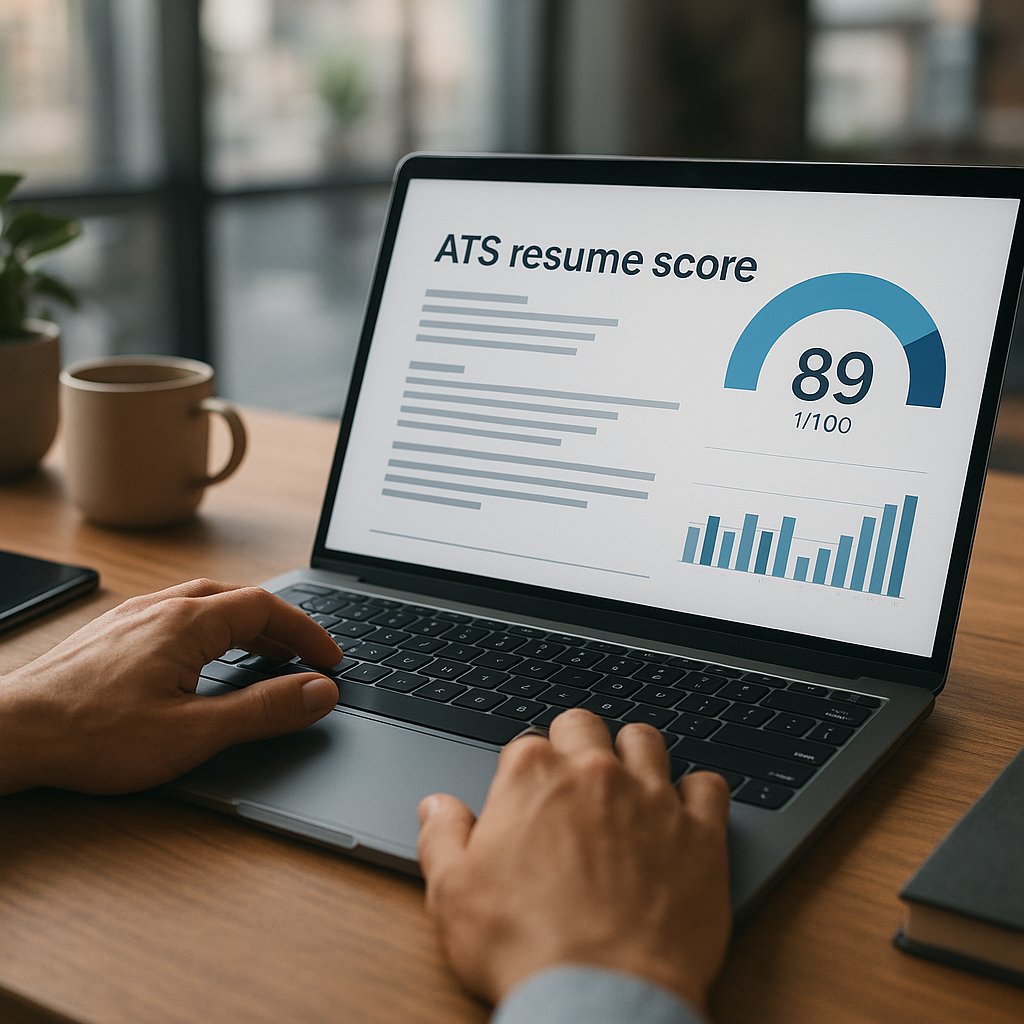
AI job search agent tools: best picks for 2026
AI job search agent tools are becoming the fastest way to find relevant openings, tailor applications, and stay organized without burning out. This guide breaks down what these tools actually automate in 2026, what to watch out for (failure rates, account risk, generic outputs), and how to choose the right one for your goals.

AI job search agent tools are quickly becoming the fastest way to find relevant openings, tailor applications, and stay organized—without turning your evenings into an endless loop of tabs, trackers, and copy‑paste cover letters. In 2026, the best tools go beyond “AI resume help” and actually act like an assistant: they monitor new postings, match roles to your profile, generate tailored materials, and help you run a repeatable application pipeline.
This guide to ai job search agent tools breaks down what these tools really automate in 2026, what to watch out for (failure rates, account risk, generic outputs), and how to pick the right option for your goals.
What do AI job search agent tools actually automate in 2026?
Most job seekers hear “AI agent” and think it’s just a chatbot that rewrites a resume. In 2026, the best agent-style tools handle a full workflow—if you set them up correctly.
Here’s what top AI job search agent tools typically automate:
1) Job discovery + matching (your “always-on” scan)
Instead of searching manually, agents can:
- Monitor job boards and company career pages for new roles
- Filter by title, location, remote/hybrid, salary range, tech stack, seniority, visa needs, etc.
- Score “fit” based on your resume/LinkedIn and the job description
- Alert you when “high-match” roles appear (or queue them for review)
What to look for: the ability to exclude roles (e.g., staffing agencies, certain industries, night shift, commission-only) and learn from feedback (“don’t show me roles like this again”).
2) Tailored resume + cover letter generation (without starting from scratch)
The better tools do more than paraphrase:
- Swap in role-relevant bullets from your experience library
- Adjust keyword coverage for ATS scanning
- Generate a clean cover letter with proof points (metrics, tools, outcomes)
- Keep your voice consistent across versions
Reality check (2026): generic AI outputs are easy to spot. The best results come from tools that let you store reusable “achievement bullets” and then assemble them per role.
3) Application pipeline + follow-ups (the part most people drop)
This is where many job searches fail: tracking and consistency.
Agent tools can:
- Maintain a job tracker automatically (role, link, status, dates, notes)
- Remind you to follow up (e.g., 5–7 business days after applying)
- Generate outreach messages for recruiters/hiring managers
- Organize interview stages, takeaways, and next steps
4) Interview prep + “role simulation”
Some platforms now provide:
- Interview question sets based on the actual posting
- Mock interview sessions with feedback on structure and clarity
- Company-specific prep kits (values, leadership principles, common questions)
Best practice: treat prep as a workflow step in your tracker, not something you do “if you have time.”
5) Auto-apply (powerful, but risky if misused)
Auto-apply capabilities can submit applications faster than humans. In 2026, this is both useful and controversial.
Auto-apply can help when:
- You’re applying to high-volume roles where speed matters
- You have strong baseline materials and clear filters
- You’re applying to roles with consistent requirements (e.g., customer support, SDR, certain internships)
Auto-apply can hurt when:
- It sends generic materials or mismatched resumes
- It applies to roles you’d never want (hurting your brand)
- It triggers account flags on certain platforms if done recklessly
The best AI job search agent tools for 2026 (ranked by use case)
There isn’t one “best” tool—there’s the best tool for your workflow. Below are strong options job seekers commonly use in 2026, grouped by what they do best.
Quick picks (by goal)
- Best all-in-one job search workflow: Apply4Me
- Best for researching and tracking companies: Teal
- Best for AI resumes/cover letters at scale: Jobscan (ATS + optimization)
- Best for networking/outreach messaging: LinkedIn Premium + AI-assisted messaging tools (paired with a tracker)
- Best for automating repetitive web tasks (advanced users): browser-based automation agents (higher risk, more setup)
Mid-search reality: most people don’t need 10 tools—they need one system that keeps them consistent.
Comparison table: Top AI job search agent tools (2026)
| Tool | Best for | Core “agent” features | Strengths | Trade-offs / watch-outs |
|---|---|---|---|---|
| Apply4Me | End-to-end job search execution | Job tracker, ATS scoring, application insights, auto-apply, career path planning, interview prep (mobile + web) | Strong workflow focus; keeps everything organized; reduces manual effort; practical insights | Auto-apply still needs good filters; you must review role fit to avoid misfires |
| Teal | Job tracking + planning | Tracker, job fit scoring, resume versions, reminders | Great for staying organized; solid UX for pipelines | Less “hands-off agent” behavior than auto-apply tools; you still drive applications |
| Jobscan | ATS alignment + optimization | ATS scoring, keyword optimization, resume/cover letter tailoring | Strong for improving keyword coverage and formatting | Not a full job search “agent”; best paired with a tracker |
| LinkedIn (Premium features) | Discovery + networking | Recommendations, search filters, messaging assistance | Best platform for recruiter visibility and outreach | Not built as a job tracker; easy to lose process without external system |
| Browser automation agents (advanced) | High-volume automation | Can automate form fills, scraping, repetitive tasks | Powerful for tech-savvy users who can control workflows | Higher account risk; can break when sites change; requires careful compliance |
Honest verdict
If your biggest problem is time + consistency, choose a tool that combines tracking + application execution + insights in one place. If your biggest problem is getting past ATS, pair an ATS-focused optimizer with a disciplined tracker. If your biggest problem is getting interviews, prioritize tools that improve targeting, outreach, and follow-up cadence—not just resume wording.
What to watch out for: failure rates, account risk, and “generic AI” traps
AI agents can save hours—but they can also waste weeks if you don’t control quality.
1) “Silent failure” in auto-apply workflows
Auto-apply can fail in ways you don’t notice:
- Forms change and submissions don’t complete
- Attachments don’t upload correctly
- Answers default to incorrect values
- Screening questions get mismatched (work authorization, location, salary)
Actionable fix: choose tools that provide application insights and confirmation logs (submitted, queued, needs review). Always spot-check your first 10 submissions.
2) Account risk and platform policies
Some platforms actively detect suspicious automation patterns (rapid apply bursts, repeated actions, abnormal click paths).
Risk-reduction rules (practical):
- Avoid “spray and pray” applying to dozens of roles in minutes
- Use auto-apply only after defining tight filters (title, level, location, must-have skills)
- Prioritize company career pages or approved workflows when possible
- Keep your materials consistent and truthful—screening lies get caught faster than ever
3) Generic outputs that recruiters instantly recognize
Recruiters and hiring managers are seeing thousands of AI-written resumes and cover letters. The tells in 2026:
- Vague impact (“significantly improved outcomes”)
- Overly polished, empty language
- Skills lists that don’t match the work history
- Cover letters that could be sent to any company
Actionable fix: enforce a rule—every tailored resume must contain 2–4 role-relevant metrics (time saved, revenue influenced, tickets resolved, conversion improved, latency reduced, CSAT increased, etc.).
4) Over-optimization for ATS that hurts humans
Stuffing keywords can backfire if it makes you sound unnatural or inconsistent.
Actionable fix: optimize for both:
- ATS: keyword alignment, clear headings, simple formatting
- Humans: strong first-third of page, quantified outcomes, readable bullets
How to choose the right AI job search agent tool (a simple decision framework)
Use this quick checklist to choose a tool that fits your goals, not just the trend.
Step 1: Identify your bottleneck
Pick the tool that solves your biggest constraint:
- “I’m not finding relevant roles.”
Prioritize discovery + matching + filters + alerts.
- “I’m applying but not getting interviews.”
Prioritize ATS scoring, tailoring workflow, and role-fit targeting.
- “I’m inconsistent and burned out.”
Prioritize a job tracker, reminders, and an end-to-end pipeline.
- “I need volume fast.”
Consider auto-apply—but only with strict controls and review steps.
Step 2: Check for the 6 must-have features (2026 baseline)
The best ai job search agent tools should include most of these:
1) Smart job matching + exclusions
2) Resume versioning and tailored outputs
3) ATS scoring or keyword guidance
4) Pipeline tracking (status, dates, notes, reminders)
5) Application insights (what worked, where drop-offs happen)
6) Interview prep tied to specific roles
Step 3: Avoid paying for what you won’t use
If you won’t network, don’t pay extra for messaging features. If you won’t tailor, don’t buy a pure ATS scorer alone. Your tool should reinforce the behavior you’re willing to do weekly.
A practical workflow: use AI agents to run a 30-minute daily job search (that actually works)
This is the part most guides skip. Here’s a repeatable workflow built for the 2026 market.
The 30-minute daily routine (Mon–Fri)
0–5 minutes: Review matched roles
- Approve only roles that meet your “must-have” criteria
- Reject roles that are wrong level, wrong location, or wrong domain
5–15 minutes: Tailor materials for 1–2 roles
- Create a tailored resume version with:
- 1 targeted headline (role + specialty)
- 2–3 skills clusters that match the posting
- 2–4 quantified bullets that mirror their requirements
- Generate a short, specific cover letter or a tight “why me” paragraph for applications that don’t require letters
15–25 minutes: Apply + log
- Submit application(s)
- Log status, date, and next step
- Save the job description (many disappear after a week)
25–30 minutes: Outreach
- Send 1 message to a recruiter or hiring manager:
- 1 line context
- 1 line proof (metric)
- 1 line ask (15-minute chat or referral guidance)
Example outreach message (copy/paste template)
Hi [Name] — I just applied for the [Role] role on your team. I’ve led [relevant work] and recently achieved [metric/result] using [tool/skill]. If helpful, I can share a quick 2–3 bullet summary of how I’d approach [team goal]. Would a brief chat this week be possible?
Where Apply4Me fits naturally
If your pain point is keeping everything in one place, Apply4Me is designed for the workflow above: it combines a job tracker, ATS scoring, application insights, auto-apply, and even career path planning + interview prep across mobile and web. That means you can go from “match” → “tailor” → “apply” → “follow up” without rebuilding your system every week.
Advanced tactics for 2026: get more interviews with less effort
1) Build a “proof library” before you tailor anything
Create a document (or tool-based library) with:
- 12–20 achievement bullets (STAR format)
- 10 metrics (hard numbers)
- 6 “scope” lines (team size, budget, regions, scale)
- 8 tools/skills with context (not just a list)
Then tailoring becomes selection, not writing.
2) Create 2–3 “positioning versions” of your resume
In 2026, many roles blend responsibilities. Don’t force one resume to do everything.
Example:
- Version A: “Data Analyst (Growth)”
- Version B: “Business Analyst (Ops)”
- Version C: “Analytics Engineer (BI)”
Agents can then tailor from the closest base.
3) Use job agent insights to refine targeting weekly
Every Friday, review:
- Which titles produced interviews?
- Which keywords show up in interview-getting roles?
- Which locations or industries respond faster?
- Where you’re failing: ATS score, screening questions, or outreach?
Then adjust your filters and templates accordingly.
4) Don’t auto-apply to roles with heavy screening nuance
Avoid automation for roles that include:
- work authorization complexity
- government clearance requirements
- portfolio-specific evaluation
- compensation expectations requiring careful phrasing
Use AI to prep, not to blindly submit.
Conclusion: the smartest job searches in 2026 are system-driven
The best ai job search agent tools don’t magically “get you hired.” They remove friction: finding the right roles faster, tailoring without starting from zero, and keeping you consistent long enough to build momentum. The winners in 2026 are job seekers who treat job hunting like a lightweight pipeline—with automation where it’s safe, and human judgment where it matters.
Try Apply4Me free to set up a job-search pipeline that tracks roles, scores your ATS fit, streamlines applications, and keeps you moving—so you can apply smarter in minutes, not hours.
Frequently Asked Questions
What are AI job search agent tools?
AI job search agent tools are platforms that automate parts of the job hunt—like finding matching roles, tailoring resumes, tracking applications, and prepping for interviews. In 2026, the best tools behave like workflow assistants, not just text generators.
Are auto-apply job tools safe to use?
They can be, if you use strict filters, apply at human-like volume, and review submissions for accuracy. The biggest risks are mismatched applications, incomplete forms, and potential platform flagging if automation is too aggressive.
Will AI-tailored resumes pass ATS systems better?
Often yes—if the tool helps you align keywords, skills, and role language without stuffing. The best results come from combining ATS alignment with quantified achievements and clear, readable formatting.
What’s the best way to use AI tools without sounding generic?
Use AI to assemble and polish content, but feed it a proof library of real metrics and outcomes. Require every tailored resume to include role-specific keywords and 2–4 concrete accomplishments that match the job’s priorities.

Jorge Lameira
Author