AI job application scam checklist (2026)
Scammers now use AI-written messages, fake recruiter profiles, and convincing “assessment” links to steal data and money. This AI job application scam checklist shows the exact red flags to spot, how to verify employers fast, and what to do if you already engaged.
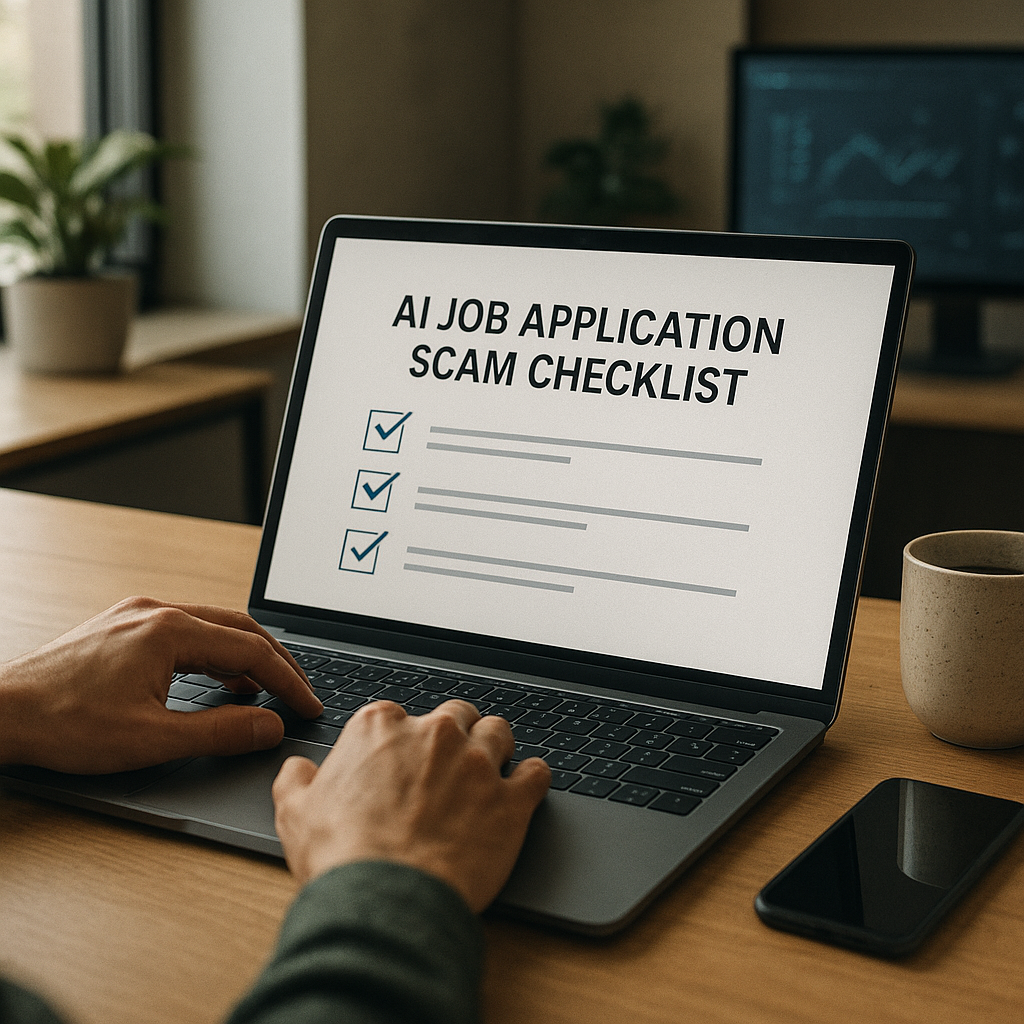
Scammers have upgraded. In 2026, it’s common to receive an AI-written recruiter message that reads perfectly, a LinkedIn profile that looks “real enough,” and a polished “assessment” link that quietly steals your data—or pushes you into paying for “background checks,” “equipment,” or crypto “verification.”
This ai job application scam checklist is built for the modern job hunt: it shows the exact red flags to watch for, how to verify employers quickly (without becoming a detective), and what to do if you already clicked, replied, or shared information.
Why AI job scams are harder to spot in 2026 (and what they’re after)
AI made job scams faster, cheaper, and more convincing:
- Natural-sounding outreach at scale: Scammers use large language models to generate tailored messages that mirror real recruiting language, reference your skills, and even match the tone of specific companies.
- Synthetic identity “recruiters”: AI-generated headshots, scraped career histories, and cloned LinkedIn networks create profiles that pass a quick glance.
- Deepfake-lite tactics: Voice notes, short video intros, and “HR calls” using AI voice cloning are increasingly reported in job seeker communities—especially for remote roles.
- Credential and financial theft: The goal is usually one of these:
- Personally identifiable information (PII): date of birth, address, ID numbers
- Account takeovers: email/SMS verification codes, passwords, MFA resets
- Direct payments: “training fees,” “equipment deposits,” “background check vendors”
- Money laundering: “receive and forward” funds, reshipping schemes, gift cards, crypto
The good news: most scams still reveal themselves through process, payment, identity, and infrastructure clues. That’s what this checklist covers.
The 2026 AI job application scam checklist: 25 red flags to catch fast
Use this ai job application scam checklist every time you’re unsure. One red flag doesn’t always mean “scam,” but two or more should trigger verification before you share anything.
A) Message and communication red flags (AI-written or impersonation)
- Urgency without context: “Immediate hire today,” “Offer expires in 2 hours,” “Respond ASAP to secure your spot.”
- Overly polished, generic praise: “Your background is impressive” with no reference to specifics from your resume/portfolio.
- Interview avoidance: They push straight to “offer” or “assessment,” skip live interviews, or refuse video calls.
- Off-platform pressure: “Don’t apply on the company site—reply here only,” or “WhatsApp/Telegram only.”
- Odd time zones and scheduling: “HR team only available at 2–4 AM your time,” repeatedly.
B) Identity and employer red flags (fake recruiter profiles)
- Recruiter email domain mismatch: @company-careers.com instead of @company.com.
- Name/title mismatch: LinkedIn says “Talent Partner,” email signature says “HR Director,” and neither appears on the company site.
- Recently created profiles: Minimal history, few connections, engagement that looks automated.
- AI headshots: Perfect symmetry, strange earrings/teeth, inconsistent lighting, blurred backgrounds (not proof alone—just a prompt to verify).
C) Job and offer red flags (too good, too vague, too fast)
- Unrealistic pay for entry-level tasks: High salary for basic data entry, chat support, “assistant” roles.
- Vague responsibilities: Lots of buzzwords, no measurable outcomes or team context.
- “Remote” used as bait: The listing is 95% perks and 5% actual work.
- Instant offer after a chat: Especially if the “interview” is just a text questionnaire.
D) Assessment/test red flags (the most common trap)
- Assessment link hosted on sketchy domains: Free file hosts, random subdomains, or shortened links with no explanation.
- You must log in with Google/Microsoft: OAuth prompts that request mailbox access or contacts—massive warning sign.
- They ask for sensitive info “for the test”: DOB, SSN/national ID, bank info, selfie + ID—before a real interview.
- Download required: “Install this assessment app” or “enable macros” in a spreadsheet.
E) Money and payment red flags (nearly always a scam)
- You pay to get hired: Application fee, “processing fee,” “training,” “background check fee” to their preferred vendor.
- They send a check to buy equipment: Classic fake-check flow; you “buy” from their vendor, check bounces later.
- Crypto or gift cards: Any request for crypto, gift cards, or money transfers = stop.
- Payroll setup before offer letter: They ask for bank details before a signed contract and verified HR contact.
F) Infrastructure red flags (what scammers can’t fake well)
- No verifiable company footprint: No real employee presence, press, product, or customers.
- Website inconsistencies: Newly created domain, copied text, broken pages, missing legal pages.
- Job isn’t on the real company careers page: Or it appears only on shady boards.
How to verify an employer in 10 minutes (without overthinking it)
When something feels “off,” do this quick verification sprint. It catches most scams fast.
Step 1: Confirm the job exists in an official place (2 minutes)
- Search: Company name + careers + job title
- Check the company’s own careers page for the same role.
- If it’s only on social media or a random board, proceed with caution.
Step 2: Verify the recruiter identity (3 minutes)
- Find the recruiter on LinkedIn and check:
- Do they list the company and have a real work history?
- Do they have mutual connections who are real employees?
- Are they posting normal recruiting content over time?
- Then verify contact info:
- Legit recruiters usually email from @company.com (or a known staffing firm domain).
- If they claim to be from an agency, the agency should have a real site and phone number.
Step 3: Validate the domain and link safety (3 minutes)
- Hover over links; avoid shorteners when possible.
- Look up the domain age via WHOIS (newly created domains are higher risk).
- If the link asks you to sign in with Google/Microsoft, review permissions carefully:
- If it requests mailbox access, contacts, or “read and send emails,” stop.
Step 4: Call the company switchboard (2 minutes)
This is the fastest “reality check” most people skip:
- Call the main company number from their official website.
- Ask: “Can you confirm [recruiter name] works in recruiting and that this role is open?”
- A real employer won’t be offended; they’ll appreciate caution.
Safer applications in 2026: a step-by-step workflow that reduces scam risk
A big reason scammers succeed is job seekers are juggling too many applications, messages, and logins. Use a consistent workflow:
1. Apply only through trusted paths first
- Company careers page, reputable staffing firms, or verified job boards.
2. Create a “job identity”
- Use a dedicated email address for job search.
- Use a password manager and unique passwords.
3. Never send sensitive documents early
- Hold back ID scans, tax forms, bank info until after a verified offer and verified HR onboarding.
4. Treat assessments like software installs
- If it requires downloads, admin permissions, macros, or unusual sign-in scopes, assume risk until proven safe.
5. Document everything
- Save job links, recruiter names, email headers, and any payment requests.
Practical tip: If you’re applying broadly, tracking becomes security. When you can’t remember where you applied, scammers exploit that confusion (“Following up on your application…”).
That’s where a tool like Apply4Me fits naturally: it combines a job tracker, application insights, and ATS scoring so you know exactly which roles you applied for, what materials you used, and what’s legitimate. It also supports auto-apply (mobile + web), plus career path planning and interview prep—helpful because scammy roles often target people who are rushing and overwhelmed.
Tools to spot scams faster (comparison table + honest verdict)
No single tool catches everything. The best approach is layering: identity checks + domain checks + link safety + process sanity.
| Tool / Method | Best for | Pros | Cons | Use it when… |
|---|---|---|---|---|
| Company careers page check | Confirming the role is real | Fast, high-signal | Some roles are confidential or posted later | The job exists only in DMs or social posts |
| LinkedIn verification (recruiter + employees) | Validating people & networks | Easy, public | Fake profiles can look convincing | A recruiter contacts you first |
| WHOIS / domain age lookup | Detecting cloned/new domains | Great for “brand-new” scam sites | Legit startups may also have newer domains | You’re asked to click a domain you’ve never seen |
| Google Safe Browsing / URL scanners | Quick link risk scan | Fast | Doesn’t catch brand-new phishing pages | You received a shortened or unfamiliar link |
| Reverse image search (headshots/logos) | Catching stolen identities | Can expose reused images | AI images may not match anything | The recruiter profile photo looks “too perfect” |
| Calling main company number | Confirming recruiter + process | Highest confidence | Takes effort; not always reachable | You’re asked for money, ID, or downloads |
| Apply4Me (job tracking + insights) | Reducing confusion + staying organized | Clear record of applications, ATS scoring, insights, auto-apply, web+mobile | Not a standalone “scam detector” | You’re applying to many roles and need visibility + control |
Honest verdict: The biggest “unlock” is process verification (careers page + company phone + email domain). Tools help, but scammers mainly win because job searches are messy—so anything that improves tracking and consistency reduces your risk.
What to do if you already engaged (clicked, replied, paid, or shared info)
If you’ve interacted with a suspected scam, act quickly—but don’t panic. Use this triage list.
If you clicked a link or logged in
- Change your email password immediately (and any reused passwords elsewhere).
- Turn on MFA (app-based authenticator preferred over SMS).
- Review account security:
- Check “recent activity” and logged-in devices.
- Check forwarding rules (scammers sometimes add hidden forwarding).
- Check third-party app access; revoke anything suspicious.
If you downloaded a file
- Disconnect from Wi‑Fi, then run a reputable malware scan.
- Remove suspicious browser extensions.
- Consider using a separate device profile for job hunting moving forward.
If you shared personal data (ID, SSN/national ID, bank info)
- Contact your bank to monitor or freeze accounts if needed.
- Place a fraud alert / credit freeze where available in your country.
- Monitor for new account openings and phishing attempts (they often follow in waves).
If you sent money (fees, equipment, crypto)
- Contact your payment provider immediately to attempt reversal.
- File a report with local consumer protection or cybercrime authorities.
- Preserve evidence: receipts, email headers, chat logs, wallet addresses.
Report it (it helps others)
- Report the job post to the job board/platform.
- Report impersonation on LinkedIn.
- If a real company was impersonated, notify their security or HR via their official website contact.
A printable mini-checklist (save this before you apply)
If you only remember 7 things from this ai job application scam checklist, remember these:
- No legitimate employer asks you to pay to get hired.
- Verify the role on the official careers page.
- Verify the recruiter via @company.com email and a real employee footprint.
- Be suspicious of text-only interviews and instant offers.
- Treat assessments like security events: avoid downloads, macros, and overreaching login permissions.
- Don’t share ID/bank info until after a verified offer + HR onboarding.
- When in doubt, call the main company number.
Conclusion: protect your time, your identity, and your momentum
AI scams thrive on speed, confusion, and volume. The best defense is a repeatable process: verify the employer fast, refuse risky assessments, and keep a clean record of where you’ve applied so no one can “follow up” on something you never submitted.
If you want a quicker, safer workflow, try Apply4Me free to track every application in one place, get ATS scoring + application insights, and reduce the confusion scammers rely on—it takes minutes to start and keeps your job search organized across mobile and web.
Frequently Asked Questions
What is an AI job application scam?
It’s a job scam that uses AI-generated messages, fake recruiter identities, or convincing assessment links to steal personal data, money, or access to your accounts. The biggest tells are unusual urgency, off-platform communication, and any request for payment or sensitive info early.
How can I verify a recruiter quickly in 2026?
Confirm the job exists on the company’s official careers page, check the recruiter’s email domain, and validate their LinkedIn presence (history, connections, employee network). When stakes are high (ID/payment/downloads), call the company’s main number from their website.
Are online assessments always scams?
No—many real employers use skills tests. The red flags are assessments that require software installs, macros, strange login permissions (mailbox access), or requests for sensitive personal information before a real interview process.
What should I do if I gave a scammer my resume and phone number?
Update your passwords and enable MFA, then watch for follow-on phishing attempts by SMS/email. If you shared additional sensitive data (ID, bank info), place fraud alerts/credit freezes where available and notify your bank immediately.

Jorge Lameira
Author