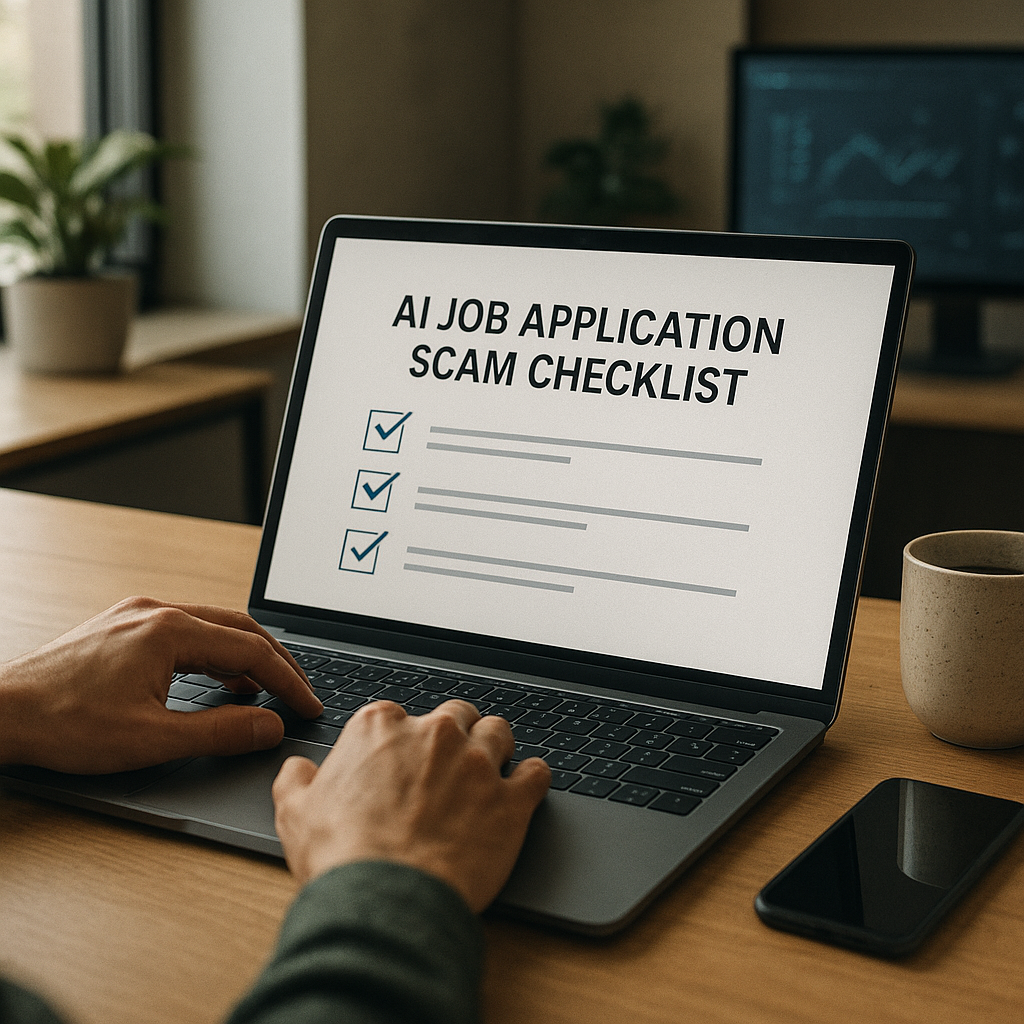
Job Scam Detection: How to Vet Remote & Hybrid Listings, Spot Fake Recruiters, and Protect Your Data
Job scams are getting more convincing—especially in remote and hybrid hiring. This guide gives job seekers a practical, step-by-step vetting checklist (from email/domain checks to payment red flags and fake interview tactics) so you can apply confidently without risking your identity or money.

Remote and hybrid roles are still some of the best opportunities in 2025—more flexibility, broader company access, and often better work-life fit. They’re also the easiest roles to scam because everything happens through screens. Scammers don’t need an office, a real HR team, or even a real company anymore. With AI-written outreach, cloned websites, and “recruiters” who look legitimate on LinkedIn, job scams have become faster, cheaper, and more convincing.
Regulators have been warning about this trend for years. The U.S. Federal Trade Commission (FTC) has repeatedly reported job and employment scams as a high-growth category, with losses in the hundreds of millions annually in recent years—often driven by fake checks, “equipment purchases,” and identity theft. In 2025, the bigger risk isn’t just losing $200—it’s handing over enough personal data to fuel account takeovers, tax fraud, and long-term identity theft.
This guide gives you a practical, step-by-step vetting checklist you can run in minutes—covering email/domain checks, payment red flags, fake interview tactics, and data protection—so you can apply confidently without risking your identity or money.
Why job scams look more “real” in 2025 (and what changed)
Scams didn’t just increase—they evolved. Here’s what’s different now:
1) AI makes scammers sound like real recruiters
In 2025, scam messages are rarely full of typos. They’re polished, friendly, and sometimes tailored to your background. Some scammers even reference your portfolio projects or GitHub—because they scraped them.
What this means for you: you can’t rely on “bad grammar” as a filter anymore. You need verification steps.
2) Remote processes reduce natural friction
Legitimate companies often move fast for remote roles (asynchronous interviews, online assessments, quick scheduling). Scammers mimic that speed—but remove all due diligence.
What this means for you: speed isn’t automatically a red flag; unverified speed is.
3) Deepfakes and impersonation are practical
It’s now plausible to see:
- A fake “hiring manager” on a low-quality video call
- A cloned company careers page
- A spoofed email domain that looks almost identical
What this means for you: verify the identity and the organization through independent channels, not the ones the recruiter provides.
The 2025 Job Listing Vetting Checklist (Remote + Hybrid)
Before you share a phone number, resume, or availability, run this checklist. It’s designed to take 5–12 minutes per listing.
Step 1: Confirm the job exists in at least 2 independent places
Do:
- Find the role on the company’s official careers page (not a link the recruiter sent).
- Cross-check the same posting on a major platform (LinkedIn, Indeed, Wellfound, etc.).
Red flags:
- The role is only found on a random job board or a Google Doc.
- The company site has a “careers” page—but this specific job isn’t listed.
- The listing URL looks odd (extra subdomains, long strings, misspellings).
Quick tip (2025 reality): Some legitimate companies use ATS pages (Greenhouse, Lever, Workday). That’s fine—just confirm the ATS page is linked from the company’s main domain.
Step 2: Validate the company’s digital footprint (the 60-second version)
Do:
- Google: Company name + scam, Company name + recruiter, Company name + fake job
- Check the company’s LinkedIn:
- How long has the page existed?
- Does it have real employee activity and consistent branding?
- Look for press, funding announcements, or product presence (even small companies usually have something).
Red flags:
- Company exists only on LinkedIn with a tiny follower count and no employee profiles.
- Website is thin (1–2 pages), recently created, or filled with generic stock photos.
- No trace of leadership beyond a single profile.
Step 3: Scrutinize the job description for “scam patterns”
Scam listings tend to overpromise and under-specify.
Common scam phrasing in 2025:
- “No interview required” / “Immediate hire”
- “Work 2 hours/day”
- “Weekly pay guaranteed”
- “No experience needed” paired with high salary
- Vague responsibilities: “Assist with online tasks,” “Manage operations,” “Help with communications”
- Heavy emphasis on urgency: “Limited slots,” “Start today,” “Hiring immediately”
Legitimate remote/hybrid listings usually include:
- Specific tools/workflows (e.g., Salesforce, Jira, SQL, Figma)
- Clear reporting line/team context
- Realistic salary range and location/pay band logic
- A structured interview process overview
Spotting Fake Recruiters: Identity Checks That Actually Work
A polished LinkedIn profile isn’t proof. In 2025, scammers can build believable profiles (or hijack real ones). Use verification that’s harder to fake.
1) Check the recruiter’s email domain (not just the display name)
Rule: A legitimate recruiter contacting you about a role at Company X should usually email from @companyx.com (or a known staffing firm domain).
Red flags:
- Gmail/Outlook/Yahoo addresses for corporate roles
- Lookalike domains:
- @micros0ft-careers.com (zero instead of “o”)
- @companyxjobs.com when the real domain is @companyx.com
- @companyx-career.com / @companyx-hr.com
Actionable check:
- Copy the domain and search it directly.
- If you’re comfortable, use a domain lookup tool (WHOIS) to check domain age. Many scam domains are newly registered.
2) Verify through the company—using a channel the recruiter didn’t give you
This is the single most effective step.
Do:
- Go to the company’s official website → find the main phone number or HR contact method.
- Or message a current employee (politely) on LinkedIn:
- “Hi — I’m verifying a recruiter outreach I received for [Role]. Can you confirm whether [Name] works with your hiring team?”
Red flags:
- Recruiter refuses verification or pushes urgency.
- Recruiter insists on staying on WhatsApp/Telegram only.
3) Watch for “platform traps” (WhatsApp/Telegram-first recruiting)
In 2025, scammers often move conversations to encrypted apps quickly because it’s harder to trace.
Not automatically a scam, but suspicious when combined with:
- No company email
- No official interview scheduling tool
- No verifiable role listing
- Pressure to act fast
Safer boundary:
“I’m happy to continue by email from your company domain or through your ATS. I don’t interview via chat apps.”
Fake Interview Tactics in 2025 (and how to respond)
Scams now mimic real hiring steps—sometimes including “interviews.” The goal is usually money, identity data, or both.
Tactic A: Text-only “interview” with instant offer
Pattern:
- They “interview” via chat
- They praise your answers
- They offer the job immediately
- They request personal details quickly
Your response:
- Ask for a live video call with a hiring manager.
- Ask for the official job posting link on the company site.
- Ask for the offer letter to be sent from the company domain and for time to review.
If they push back: walk away.
Tactic B: The “equipment purchase” scam (still #1 for losses)
Pattern:
- They send a check (or promise reimbursement)
- They ask you to buy equipment from an “approved vendor”
- The check bounces later; your money is gone
Non-negotiable rule:
A legitimate employer will not require you to send money or buy from a specific vendor using your funds.
Safer alternative:
Companies that provide equipment typically:
- Ship it directly, or
- Use a well-known procurement process, or
- Reimburse through payroll after you’re onboarded (with clear policy)
Tactic C: “Background check” links that harvest data
Pattern:
- They ask for SSN, driver’s license, or bank info early
- They send a link to a sketchy background-check site
Reality check:
Most legitimate employers request sensitive info after you’ve had real interviews and are at offer stage, using reputable vendors.
Your response:
- Ask what vendor they use and confirm it independently.
- Provide only the minimum required when it’s appropriate in the process.
Tactic D: Deepfake or impersonated video calls
Less common than the equipment scam—but rising.
Red flags:
- Video is grainy, audio doesn’t sync
- They refuse to turn on cameras (or won’t show ID when asked)
- They avoid company-specific questions
Verification move (simple and fair):
- Ask them to email you from their official company address during the call.
- Ask a role-specific question a real manager should answer easily:
- “What team would this role sit in, and what tools does the team use day-to-day?”
- “What does success look like in 30/60/90 days?”
Protect Your Data: What to Share, When to Share It (2025-safe rules)
You can’t job search effectively without sharing information—but you can control risk.
What’s generally safe to share early
- Resume (without sensitive identifiers)
- Portfolio/GitHub/LinkedIn
- City/state (not full address)
- Availability windows
- Professional email + phone
What to never share before a verified offer stage
- Social Security Number (SSN)
- Bank account/routing numbers
- Full home address (until onboarding paperwork with a verified employer)
- Photos of ID documents
- One-time passcodes (OTP) sent to your phone/email
2025-specific protection moves that job seekers actually use
- Use a separate job-search email (keeps phishing contained)
- Consider a secondary phone number (Google Voice or carrier secondary line)
- Freeze your credit with major bureaus if you’re actively applying widely
- Turn on multi-factor authentication (MFA) for email/LinkedIn
- Keep screenshots/PDFs of job listings (scam posts disappear fast)
A practical system: Track listings, score risk, and don’t lose momentum
One reason scammers win is volume—they message 100 people/day. Job seekers get tired and skip verification. The fix is a repeatable workflow that’s quick enough to stick with.
A 10-minute “Apply Safer” workflow
1. Save the listing (PDF or screenshot)
2. Verify job exists on the company site
3. Verify recruiter identity (domain + LinkedIn + independent cross-check)
4. Log what happened (so you don’t re-engage with the same scammer)
5. Apply only through verified channels
How Apply4Me can help (without slowing you down)
If you’re applying to multiple remote/hybrid roles, organization is part of your security.
Apply4Me’s useful, job-scam-reducing strengths include:
- Job tracker: Log each role, recruiter contact method, and notes like “verified on company site” or “domain mismatch.” This prevents repeat exposure and keeps your follow-ups clean.
- ATS scoring: Helps you focus on roles where your resume is competitive—so you’re not tempted by sketchy “too good to be true” offers that promise high pay for low requirements.
- Application insights: Spot patterns in callbacks vs. silence. When you see which platforms and role types convert, you can reduce random applications (where scams often live).
- Mobile app: Useful when you need to verify quickly—like checking a recruiter message and cross-referencing the listing before responding.
- Career path planning: Keeps your search anchored to credible roles and skill progressions, which makes scam listings easier to recognize because they don’t fit a realistic path.
Bottom line: tracking isn’t just productivity—it’s risk control.
If you think it’s a scam: what to do next (fast)
If you’re unsure, pause. Scammers rely on urgency.
If you already shared info
- Stop communicating and don’t click further links
- If you shared banking info: contact your bank immediately
- If you shared SSN or ID info: consider placing a fraud alert or credit freeze
- Change passwords and enable MFA on email/LinkedIn
Report it (it helps other job seekers)
- Report the posting on the job board (LinkedIn/Indeed/etc.)
- In the U.S., report to the FTC at ReportFraud.ftc.gov
- If it impersonates a real company, notify the company via its official website contact
Conclusion: Apply confidently—without becoming a target
Job scams in 2025 are convincing because they borrow the look and language of real hiring. The good news: you don’t need to become a cybersecurity expert to protect yourself. If you consistently run a two-source job verification, a domain check, and a no-money/no-SSN-before-offer rule, you’ll avoid the majority of scams.
And if you want to make this easier to repeat across dozens of applications, a tool like Apply4Me can help you track roles, document verification, prioritize ATS-fit applications, and stay organized across devices—so you move faster and safer.
If you’d like, share a recruiter message (with personal details removed) or a job listing screenshot, and I can help you vet it using the checklist above.

Jorge Lameira
Author