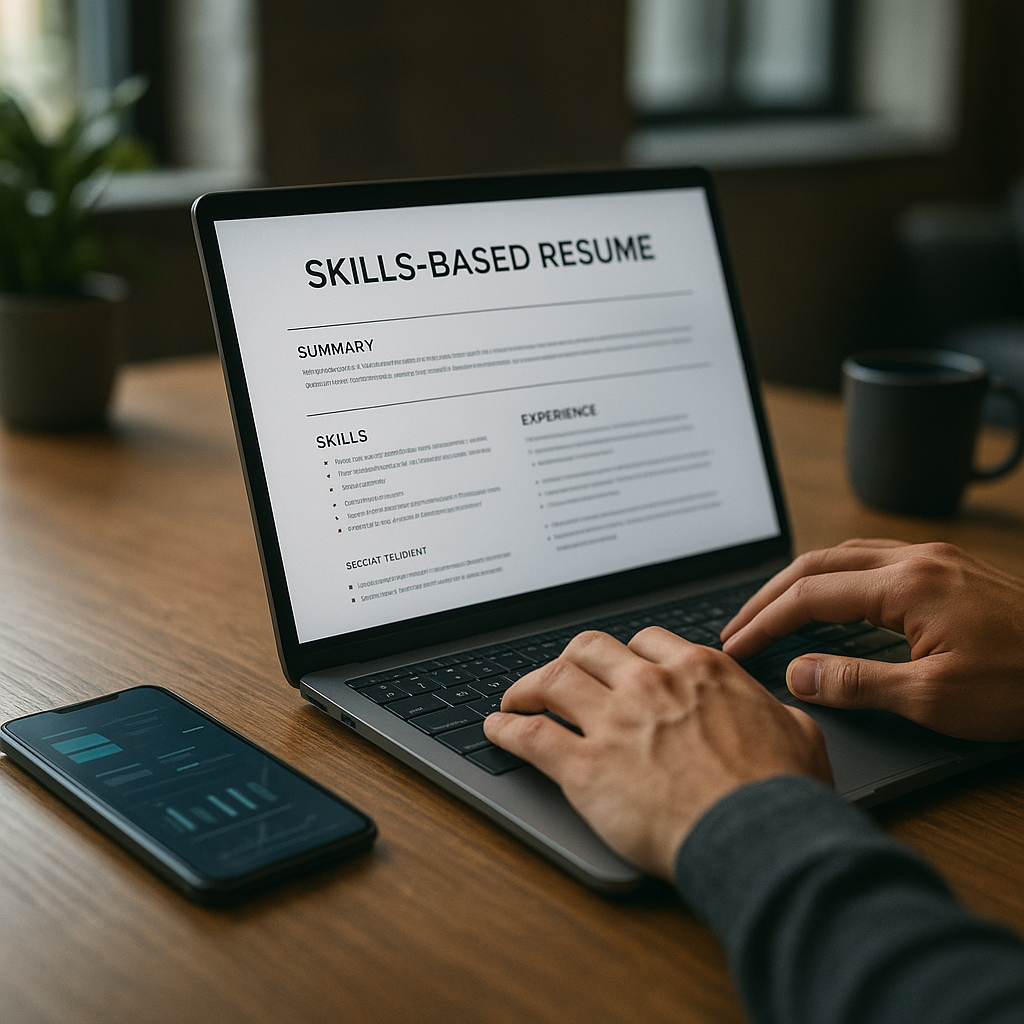
Skills-based resume with no degree: 2026 template
If job ads keep listing a degree you don’t have, a skills-based resume with no degree can help you compete on proof, projects, and outcomes. This guide includes a 2026-ready structure, section-by-section examples, and how to prioritize skills so recruiters and ATS both understand your fit.

If job ads keep listing a degree you don’t have, you’re not alone—and you’re not stuck. A skills-based resume with no degree lets you compete on what hiring teams actually care about in 2026: proof you can do the work, fast ramp-up, and measurable outcomes. Instead of hiding the missing credential, you lead with relevant skills, projects, tools, and results that match the job description.
Below is a 2026-ready structure, section-by-section examples, and a simple method to prioritize skills so recruiters and ATS both understand your fit—without sounding like fluff.
Why a skills-based resume works in the 2026 hiring market (even when a degree is “required”)
Many postings still list “Bachelor’s degree required” as a default filter, but hiring decisions increasingly hinge on demonstrable capability: portfolios, work samples, certifications, and job-relevant tools. This is especially true for roles like customer success, IT support, operations, sales, marketing, data analytics, and many entry-to-mid career roles where performance is easy to measure.
A skills-based format helps because it:
- Moves your best evidence above the fold (skills, tools, outcomes).
- Reduces the “degree gap” spotlight by not dedicating prime real estate to education.
- Matches how ATS parses keywords when you mirror skills from the job ad (without copying blindly).
- Lets non-traditional experience count (freelance, volunteering, caregiving projects, online certificates, self-directed work).
Key idea: you’re not “avoiding” education—you’re reordering information so the first scan answers, “Can this person do the job?”
Skills-based resume with no degree: 2026 template (copy/paste)
Use this template when your work history is non-linear, you’re changing careers, you have strong projects, or your experience isn’t titled the same as the target role.
1) Header (simple, ATS-safe)
First Last
City, ST • phone • email • LinkedIn URL • Portfolio/GitHub (if relevant)
Tip: Avoid icons, columns, and text boxes—ATS systems still misread them in 2026.
2) Target title + 1–2 line summary (role-aligned, proof-based)
Target Role Title (use the job’s title)
Summary: Skills-forward line with outcomes and tools.
Example (Customer Support / Success):
Customer Support Specialist with 3+ years supporting SaaS users via chat/email, resolving 40–60 tickets/day with 95%+ CSAT. Known for building help-center articles, reducing repeat issues, and using Zendesk, Intercom, and Jira to track root causes.
Example (IT Support):
IT Support Technician with hands-on experience troubleshooting Windows/macOS, account access, printers, and network basics. Completed Google IT Support certificate and built a home lab with Active Directory, ticketing workflows, and backup routines.
3) Skills & Tools (prioritized, job-matched)
Create 2–4 buckets so humans and ATS can scan quickly. Put the most relevant first.
Core Skills: Ticket triage • Customer de-escalation • Root cause analysis • Documentation
Tools: Zendesk • Intercom • Jira • Notion • Google Workspace • Excel
Workflow Skills: SOP writing • QA tagging • Escalation management • Cross-team handoffs
Tip: List skills you can prove with bullets in Projects or Experience below.
4) Skills Highlights (the “proof” section recruiters love)
This is the heart of a skills-based resume: 3–4 skill areas, each with 2–4 bullets showing outcomes.
#### Skill Area: Customer Issue Resolution
- Resolved 50+ customer requests/day across chat and email; maintained 95–97% CSAT over 4 quarters.
- Reduced average handle time by 12% by standardizing macros and troubleshooting checklists.
- Escalated product bugs with reproducible steps and logs; improved engineering handoffs and reduced back-and-forth.
#### Skill Area: Knowledge Base & Process Improvement
- Wrote 18 help-center articles and updated outdated content; improved self-serve resolution and reduced repeat tickets.
- Built an internal “Top 25 Issues” playbook for new hires; shortened ramp time and improved consistency.
#### Skill Area: Cross-Functional Collaboration
- Partnered with Product to tag feature requests and summarize trends monthly; helped prioritize fixes based on volume and impact.
Make it yours: Swap in skills relevant to the role—data cleaning, pipeline management, inventory, onboarding, QA, scheduling, etc.
5) Relevant Projects (non-traditional experience counts)
Projects are where you “manufacture experience” ethically by showing real work. Include 2–3 projects with tools and measurable outcomes.
Project: Customer Support Workflow Upgrade (Self-directed)
Tools: Zendesk (trial), Notion, Google Sheets
- Designed ticket categories, macros, and an escalation flow for a sample SaaS support team.
- Built a 12-article knowledge base outline and QA checklist; demonstrated a repeatable support process.
Project: IT Home Lab + Ticketing Practice (Self-directed)
Tools: Windows Server, Active Directory, Spiceworks/Freshservice (trial), PowerShell
- Created users, groups, and permissions; documented account provisioning SOPs.
- Simulated 25 ticket scenarios (password reset, printer, VPN, Wi-Fi) and documented resolution steps.
Tip: If you’re short on metrics, use volume + scope + tools (e.g., “built 10 dashboards,” “cleaned 5k rows,” “ran 3 campaigns”).
6) Experience (keep it, but tighten it)
Even in a skills-based resume, include a chronological experience section. Keep bullets outcome-driven and relevant.
Company / Organization — Role (City or Remote)
Dates
- Outcome + scope + tool: “Handled X… using Y… resulting in Z.”
- Keep 3–5 bullets max per recent role.
- Older roles: 1–2 bullets focused on transferable skills.
If you have unrelated jobs, rename the section:
- Additional Experience (instead of “Work History”)
- Relevant Experience (if you’re curating hard)
7) Certifications, Training, and Education (degree optional)
Name this section strategically:
Certifications & Training
- Google Data Analytics Certificate — Credential URL (optional)
- CompTIA A+ (in progress) — Expected Month 2026
- HubSpot Service Software Certification — Completed Month 2026
Education (optional)
- Coursework in [Subject], [School/Platform], [Date range]
- High school diploma/GED (only if required or helpful)
Tip: If you attended college but didn’t finish, you can list:
“Coursework toward Associate/Bachelor’s in X (completed Y credits)”—only if it supports the role and you’re comfortable discussing it.
How to prioritize skills so ATS and recruiters both “get it”
In 2026, ATS filters still reward clear keyword alignment—but humans decide. The trick is to rank skills by job relevance + proof strength.
Step-by-step: The 20-minute skill prioritization method
1. Paste the job description into a notes doc.
2. Highlight:
- Hard skills/tools (e.g., Salesforce, Excel, SQL, Zendesk)
- Core responsibilities (e.g., “triage,” “document,” “pipeline,” “reporting”)
- Outcomes (e.g., “reduce churn,” “improve CSAT,” “increase revenue”)
3. Pick 8–12 skills you actually have evidence for.
4. Put the top 6 in your Skills & Tools section.
5. Create 3–4 skill areas in Skills Highlights, each backed by bullets with:
- metric (volume, %, time saved)
- tool
- business result
A quick “proof” formula you can reuse
Action + Scope + Tool + Result
- “Built weekly KPI report (scope) using Excel + Looker Studio (tool) to reduce manual reporting time by 30% (result).”
If you can’t quantify, use:
- Timeframe: weekly/monthly/quarterly
- Volume: tickets, calls, records, orders
- Quality: error rate, QA score, CSAT, SLA
Section-by-section examples for popular no-degree job paths (2026)
Example skill buckets (choose one style)
For Sales / SDR
- Prospecting: LinkedIn Sales Navigator • Apollo • email sequencing
- Pipeline: CRM hygiene • lead qualification • objection handling
- Results: meetings booked • conversion rate • revenue influenced
For Operations / Admin
- Scheduling • vendor coordination • document control
- Tools: Excel/Sheets • Airtable • Asana/Trello • Slack
- Results: cycle time reduction • cost savings • fewer errors
For Entry Data / Analytics
- SQL basics • spreadsheet modeling • data cleaning
- Tools: BigQuery/Postgres • Excel • Tableau/Looker Studio • Python (optional)
- Results: dashboards shipped • decisions supported • manual work reduced
Example “Skills Highlights” bullets for an entry data role
#### Data Cleaning & Reporting
- Cleaned and standardized 12k rows of sales data (duplicates, missing values) in Excel; improved reporting accuracy and reduced rework.
- Built a weekly KPI dashboard in Looker Studio to track conversion and CAC trends for a mock e-commerce dataset.
#### Stakeholder Communication
- Summarized insights in 1-page weekly updates; translated metrics into actions for non-technical teammates.
Common mistakes that get skills-based resumes rejected (and how to fix them)
1) Listing skills with zero proof
Fix: Every key skill should appear again in Projects or Experience with evidence.
2) Using vague adjectives instead of outcomes
Replace “hardworking” with “hit 98% on-time completion across 200+ weekly tasks.”
3) Overloading with 30–40 skills
ATS doesn’t reward long lists. Choose 8–12 skills aligned to the job.
4) Hiding the target job title
Put the exact role title near the top so recruiters instantly see fit.
5) Formatting that breaks ATS
Avoid: two-column templates, heavy graphics, skill bars, icons. Use clean headings and consistent dates.
Use Apply4Me to tailor faster (and track what actually works)
A skills-first resume gets results only if it’s matched to the right roles and iterated based on feedback. Apply4Me helps you run that process without chaos:
- ATS scoring: see how well your resume matches a specific posting and what keywords/sections to improve.
- Job tracker + application insights: track versions, responses, and which resume actually generates callbacks.
- Auto-apply (when you choose): speed up volume while keeping role fit in view.
- Career path planning + interview prep: connect the skills you’re building to realistic next roles and prepare for “no degree” questions confidently.
- Works across mobile + web, so you can apply and adjust on the go.
This is especially helpful if you’re applying to multiple job families (e.g., support + success) and need clean version control.
Step-by-step: Build your skills-based resume with no degree in 60 minutes
Step 1: Pick a target role (10 minutes)
Choose one role title per resume version. Examples:
- “Customer Support Specialist”
- “IT Support Technician”
- “Sales Development Representative”
- “Operations Coordinator”
Step 2: Create a master skill inventory (10 minutes)
Write 25–40 skills/tools you’ve used (work, volunteer, personal projects). Don’t judge—just list.
Step 3: Create a job-matched short list (10 minutes)
From the job ad, select 8–12 skills you can prove. Rank them by relevance.
Step 4: Write 9–12 proof bullets (20 minutes)
Create:
- 3 skill areas × 3 bullets each (or 4 areas × 2–3 bullets)
- Use the proof formula: Action + Scope + Tool + Result
Step 5: Add 2 projects (10 minutes)
Pick the projects most aligned to the job ad. Add tools + deliverables + measurable scope.
Optional: Add a “Keywords” safety check (2 minutes)
Make sure the resume naturally includes:
- The job title
- The top tools
- The core responsibilities (verbs)
- 1–2 outcomes the company cares about (speed, quality, retention, revenue)
Tools to build a clean, ATS-friendly resume (comparison)
Here’s an honest look at common options job seekers use in 2026:
| Tool | Best for | Pros | Cons |
|---|---|---|---|
| Google Docs / Microsoft Word | ATS-safe formatting | Simple, readable, easy export to PDF | Manual tailoring, no built-in tracking |
| Canva | Visual resumes (some industries) | Beautiful design, easy layout | Many templates break ATS; risky for most online applications |
| Resume builders (generic) | Quick drafts | Prompts and sections included | Can create repetitive phrasing; some export formatting issues |
| Apply4Me | Applying at scale + improving results | ATS scoring, job tracker, application insights, auto-apply, mobile+web, career path planning, interview prep | Still requires your input for truthful proof/metrics; best results with active iteration |
Verdict: For most no-degree applicants applying through online portals, a clean Word/Docs layout is the safest base. Pair it with a system like Apply4Me when you need faster tailoring, better tracking, and feedback loops on what’s working.
Conclusion: your degree isn’t your only credential—proof is
A skills-based resume works when it’s built around evidence: outcomes, tools, projects, and role-aligned skills. Use the 2026 template above, prioritize the skills that match the job ad, and back every claim with a bullet that shows impact.
Try Apply4Me free to quickly score your resume against real job postings, track every application, and iterate faster—so you spend less time guessing and more time getting interviews.
Frequently Asked Questions
Do employers reject a resume automatically if I don’t have a degree?
Some companies use degree filters, but many roles still get filled based on skills, experience, and proof—especially when you match the required tools and can show outcomes. A skills-based resume improves your odds by making that proof impossible to miss.
What should I put in the education section if I have no degree?
Keep it short and optional: certifications, training, and relevant coursework are often more valuable than a blank education section. Include a GED/high school diploma only if it’s required or helps remove doubt.
Is a skills-based resume ATS-friendly in 2026?
Yes—if you use a simple single-column layout, standard headings (Skills, Projects, Experience), and include job-relevant keywords naturally. Avoid graphics, columns, and skill bars that ATS can misread.
How many skills should I list on a skills-based resume?
Aim for 8–12 job-relevant skills you can prove in your bullets. Too many skills looks unfocused and can reduce credibility if you can’t back them up with projects or results.

Jorge Lameira
Author