Skills-based resume template for ATS (2026)
Need a resume that gets through modern filters and still reads well to humans? This guide shows how to build a skills-based resume template for ATS, with a plug-and-play structure that highlights impact, projects, and proof—especially if you’re switching roles or returning to work.
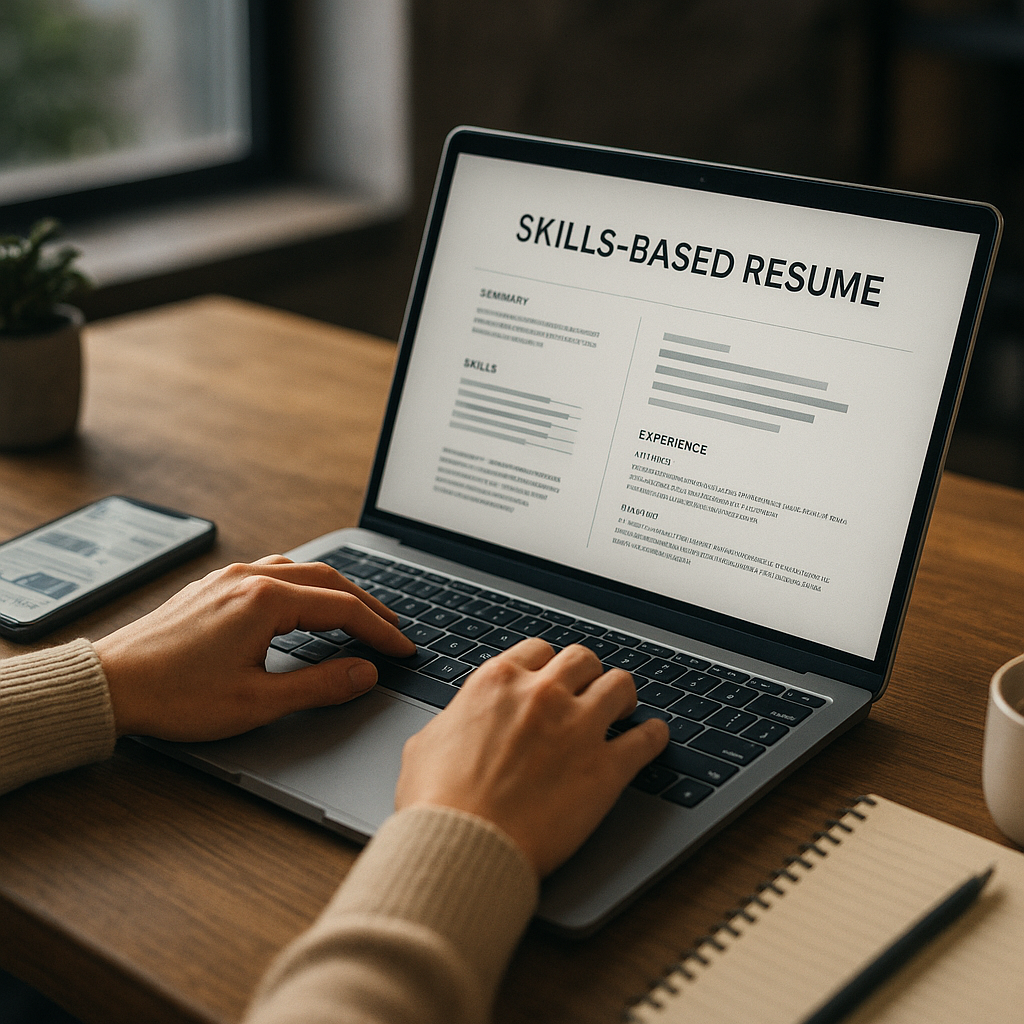
Need a resume that gets through modern filters and still reads well to humans? This guide shows how to build a skills-based resume template for ATS, with a plug-and-play structure that highlights impact, projects, and proof—especially if you’re switching roles or returning to work. In 2026, most job seekers aren’t losing out because they’re unqualified; they’re losing out because their resume isn’t machine-readable, doesn’t mirror the job’s skill language, or hides outcomes behind vague duties.
Below is a modern, ATS-safe skills-based format you can copy, plus the exact rules that help it score well in screening software and land better recruiter reads.
Why a skills-based resume wins in 2026 (and when it doesn’t)
Hiring teams increasingly screen for skills, evidence, and job adjacency—not just titles. Skills-based resumes (sometimes called functional or hybrid skills-forward resumes) can perform well because they:
- Front-load relevant capabilities (so you match ATS “must-have” requirements earlier)
- De-emphasize nonlinear timelines (career breaks, contract work, pivots)
- Prove readiness through projects + outcomes (which humans trust more than buzzwords)
That said, a purely functional resume can still backfire because some recruiters see it as “hiding” dates. The best approach in 2026 is usually a hybrid: skills section up top + a clear work history section below. That gives ATS parsers the structure they like while still letting you control the narrative.
Use a skills-based format when you are:
- Switching industries or roles (e.g., customer success → product)
- Returning after a gap (caregiving, health, relocation)
- Early-career with internships/projects but limited full-time history
- Freelance/contract-heavy with transferable deliverables
Avoid it when:
- Your last 2–3 roles are a perfect match and show clear progression (chronological may convert faster)
- You’re applying to highly traditional employers who prioritize linear tenure
The ATS rules for a skills-based resume template (what “ATS-friendly” actually means)
Applicant Tracking Systems in 2026 are better at parsing than they were years ago, but they still struggle with certain formatting and “design resume” habits. The goal is clean parsing + relevant matching.
ATS formatting checklist (2026-safe)
Keep these defaults unless a job post explicitly requests otherwise:
- File type: PDF is usually fine, but if the employer portal warns about PDFs, upload DOCX.
- Font: Calibri, Arial, Helvetica, Times New Roman (10.5–12 pt).
- Layout: Single column; avoid sidebars and multi-column tables.
- Headings: Use standard labels: Summary, Skills, Experience, Education, Certifications, Projects.
- Bullets: Use simple round bullets (•). Avoid icons, shapes, or emojis.
- Dates: Consistent format (e.g., Jan 2024 – May 2026).
- Links: Use full URLs or clean hyperlinks (LinkedIn, portfolio, GitHub).
- No embedded graphics: Logos, headshots, charts, and text boxes can break parsing.
Keyword matching (without keyword stuffing)
Most ATS setups score resumes based on:
- Hard skills (tools, platforms, frameworks)
- Core competencies (functional skills like forecasting, stakeholder management)
- Role keywords (job titles, domains, methodologies)
- Proof signals (metrics, outcomes, scope)
Your job is to mirror the job description’s language honestly:
- If the post says “SQL” and you write “databases,” you may not match.
- If it says “stakeholder management,” don’t hide it under “communication.”
A good 2026 standard: ensure your resume contains most of the top 10–15 skills from the posting that you truly have, and prove 4–7 of them with outcomes.
Skills-based resume template for ATS (copy/paste, plug-and-play)
This is the skills-based resume template for ATS you can paste into Google Docs or Word. It’s built to be readable by parsers and convincing to humans.
1) Header (simple, searchable)
First Last
City, State (or “Remote”) • Phone • Email • LinkedIn URL • Portfolio/GitHub URL
Optional: add a target title aligned with the job (not “Open to anything”).
Example: Data Analyst | SQL | Tableau | Experimentation
2) Summary (3–4 lines, role-aligned, proof-forward)
Write it like a positioning statement, not an autobiography.
SUMMARY
Skills-forward [target role] with [X] years across [relevant domains]. Known for [2–3 strengths aligned to job]. Delivered [metric/outcome] by [method/tool]. Seeking to apply [core skills] in [target industry/team type].
Example (career switcher):
Product Operations professional with 5+ years in customer success and internal tooling. Skilled in workflow automation, stakeholder alignment, and KPI dashboards (Looker, Sheets). Reduced ticket backlog 28% by redesigning intake + SLAs and launching self-serve templates. Targeting Product Ops roles supporting growth-stage SaaS.
3) Skills (ATS-friendly taxonomy: group + specificity)
Avoid a giant keyword dump. Group skills the way recruiters search.
SKILLS
Analytics & Reporting: SQL (joins, CTEs), Excel (Power Query, pivots), Tableau, GA4, KPI design
Operations & Process: SOPs, workflow mapping, SLA design, automation (Zapier/Make), QA checks
Collaboration: stakeholder management, cross-functional planning, exec-ready updates, training enablement
Tools: Jira, Asana, Salesforce, HubSpot, Notion
Tip: If a job mentions a tool, list the exact tool name (if true). ATS matching is often literal.
4) Evidence-based “Selected Skills & Impact” section (the core of the template)
This is what makes skills-based resumes credible. Each skill cluster gets 2–3 bullets with proof.
SELECTED SKILLS & IMPACT
Process Improvement & Automation
- Streamlined onboarding workflow across Sales + CS; cut handoff time from 5 days to 2 days by implementing a standardized intake form and automated routing.
- Built SOP library (18 documents) and training path; improved new-hire ramp speed by 20% based on manager evaluations.
Data Analysis & Insight
- Created weekly KPI dashboard used by 6 team leads; improved forecast accuracy and reduced manual reporting time by ~6 hours/week.
- Analyzed churn drivers using cohort segmentation; recommended 3 changes that increased renewal conversion by 7%.
Project / Program Management
- Led cross-functional launch with Product, Support, and Marketing; delivered in 6 weeks with zero high-severity post-launch incidents.
- Managed roadmap intake and prioritization for internal tools; aligned stakeholders on scoring criteria and quarterly goals.
This section is the “bridge” for career changers: it translates past work into the target role’s skill language.
5) Professional Experience (still required for ATS + recruiter trust)
Keep it clean. Use 3–5 bullets max per role, and ensure at least 2 bullets reflect the target job’s needs.
PROFESSIONAL EXPERIENCE
Company Name — Job Title (or “Relevant Title Equivalent”) | City, State / Remote
Month YYYY – Month YYYY
- Outcome bullet with metric + method + tools.
- Outcome bullet tied to a key job requirement.
- Scope bullet (stakeholders, budget, volume, region).
- Optional: leadership/mentoring/process ownership.
Company Name — Job Title | City, State / Remote
Month YYYY – Month YYYY
- Keep older roles shorter unless highly relevant.
If you’re pivoting, you can add a parenthetical for clarity:
Client Success Manager (Product Ops–Aligned)
6) Projects (especially powerful for pivots and returners)
If you’re changing roles, projects are often the cleanest proof of skill.
PROJECTS
Churn Analysis Case Study | SQL, Tableau, Cohort Analysis | Link
- Built dataset, cleaned 50k rows, identified 3 churn drivers; proposed retention experiments and expected impact range.
Operations Automation Build | Zapier/Make, Airtable, SOPs | Link
- Automated lead routing + follow-ups; reduced manual steps from 12 to 4 and improved response SLA compliance.
7) Education + Certifications (keyword support)
EDUCATION
Degree, School — City, State
CERTIFICATIONS
Certification Name (Provider) — Month YYYY (or “In progress”)
How to tailor a skills-based resume for ATS in under 30 minutes (step-by-step)
Here’s a repeatable workflow you can use per application—without rewriting your whole resume.
Step 1: Build a “master skill bank”
Create a document with:
- Hard skills (tools, platforms)
- Core competencies (e.g., vendor management, forecasting)
- Proof bullets (STAR-style) with metrics
- Project summaries + links
This becomes your source material.
Step 2: Extract the job’s top keywords (the right way)
Copy the job description into a scratchpad and highlight:
- Must-have skills (often listed in “Requirements”)
- Tools/tech stack
- “Nice to have” skills that you actually have
- Outcomes they care about (e.g., reduce cycle time, increase conversion)
Then mirror that language in:
- Your Summary
- Your Skills group headings
- 2–4 bullets in Selected Skills & Impact
- 1–2 bullets in Experience
Step 3: Reorder your skills to match the posting
ATS and humans both react to relevance near the top. Put the most relevant skill group first and trim unrelated items.
A strong skills section is typically:
- 12–24 skills total
- Grouped into 3–5 categories
- Specific (e.g., “SQL (window functions)” beats “SQL”)
Step 4: Add proof for the skill keywords you claim
In 2026, “keyword-only” resumes are easy to spot. For your top 6–10 skills, include proof bullets with:
- Metric: %, $, time saved, volume, rate
- Scope: team size, stakeholders, region, customer segment
- Method/tools: what you used to get the result
Example proof formula:
Verb + what you did + metric + how + why it mattered
“Reduced monthly reporting time 40% by automating data pulls in SQL and standardizing Tableau dashboards, enabling faster weekly pipeline decisions.”
Step 5: Run an ATS score check (and fix only what matters)
A quick scan can catch:
- Missing core keywords
- Formatting that breaks parsing
- Overuse of acronyms without spelled-out versions
A practical option here is Apply4Me, which combines ATS scoring with a job tracker and application insights—useful when you’re tailoring multiple resumes and want to see which versions perform best. It also supports auto-apply (when available), plus career path planning and interview prep, so you’re not just polishing a resume—you’re building a repeatable job-search system across mobile and web.
Common ATS mistakes in skills-based resumes (and how to fix them)
Mistake 1: Listing skills without context
Fix: Use the “Selected Skills & Impact” section to show proof bullets. Even 2 bullets per skill cluster is enough.
Mistake 2: Using creative section titles ATS doesn’t recognize
“Where I Shine” or “My Superpowers” can confuse parsers.
Fix: Stick to standard headings: Summary, Skills, Experience, Projects, Education.
Mistake 3: Hiding dates or employers
Recruiters want transparency.
Fix: Keep a standard Experience section with employer, title, and dates—just shorter if less relevant.
Mistake 4: Over-optimizing for keywords
Stuffing every tool you’ve heard of can hurt you in interviews and can look spammy.
Fix: Only include skills you can discuss confidently and ideally prove with a bullet, project, or accomplishment.
Mistake 5: Multi-column templates and icons
They look nice but often parse poorly.
Fix: Single column, simple bullets, no icons.
Tools to build an ATS-friendly skills-based resume (honest comparison)
Different tools excel at different parts: formatting, tailoring, scoring, tracking, and scaling applications.
| Tool | Best for | Pros | Cons | Ideal user |
|---|---|---|---|---|
| Google Docs / Microsoft Word | Clean ATS formatting | Maximum control, ATS-safe layouts, easy exporting | Manual tailoring; no scoring | Anyone who wants a reliable base template |
| Canva | Visual resumes | Beautiful design; fast styling | Many templates break ATS parsing (columns, icons) | Only if you also keep an ATS version |
| Grammarly / LanguageTool | Clarity and grammar | Quick fixes, tone consistency | Won’t fix ATS structure or keyword matching | Final polish before submitting |
| Jobscan-style scanners (varies by provider) | Keyword gap checks | Identifies missing terms, match insights | Can encourage keyword stuffing; varies in accuracy | Targeted tailoring for competitive roles |
| Apply4Me | End-to-end job search workflow | ATS scoring, job tracker, application insights, auto-apply, mobile + web, career path planning, interview prep | Best results require keeping your profile/resume updated | Job seekers applying to many roles who want structure + speed |
Verdict: Build your base resume in Word/Docs (clean parsing), then use a scoring + tracking layer when you’re applying at volume. The biggest “hidden problem” in 2026 isn’t only resume quality—it’s inconsistent tailoring and lost follow-ups. A tracker plus ATS scoring can prevent both.
Example: “Selected Skills & Impact” bullets for popular 2026 roles
Use these as starters; replace metrics with your real numbers.
For Customer Success / Account Management
- Increased renewal rate by X% by launching a health-score dashboard and proactive outreach playbook.
- Reduced time-to-first-value from X days to Y days by redesigning onboarding milestones and templates.
For Data / Analytics
- Built automated reporting pipeline; reduced manual work by X hours/week and improved data accuracy.
- Designed A/B test readout; influenced roadmap decision and improved conversion by X%.
For Operations / Program Management
- Improved cycle time X% by mapping process bottlenecks and implementing new SLAs and routing rules.
- Led cross-functional rollout across N teams; delivered on time with high adoption (X% active users).
For Marketing / Growth
- Increased qualified leads by X% through landing page experiments and improved targeting.
- Built lifecycle email journeys; improved activation by X% and reduced churn by X%.
Conclusion: build one ATS-safe template, then tailor fast
A strong skills-based resume template for ATS in 2026 is not a gimmick—it’s a structured way to match modern screening systems while telling a clear story to recruiters. Use a hybrid format: skills + proof up top, clean work history below, and projects that demonstrate you can do the job now.
If you want to tailor faster and stay organized across applications, try Apply4Me free to get ATS scoring + a built-in job tracker so you can quickly refine your resume for each role and see what’s working—without turning your job search into a spreadsheet project.
Frequently Asked Questions
Can a skills-based resume pass ATS in 2026?
Yes—if it’s structured properly. Use standard headings, a single-column layout, and include a clear Professional Experience section with employers and dates so ATS can parse your history reliably.
What’s the best format: functional, skills-based, or hybrid?
Hybrid is usually best for 2026: lead with skills and proof, then include chronological experience. Purely functional resumes can raise recruiter skepticism because they may look like they’re hiding timeline details.
How many skills should I list for ATS?
Aim for 12–24 skills grouped into 3–5 categories, prioritizing the job’s keywords. For your most important skills, add proof bullets in a “Selected Skills & Impact” section to show credibility.
Should I use a designed resume template (like Canva) for ATS?
Only if you also keep an ATS-safe version. Many designed templates use columns, icons, and text boxes that can break parsing, so a clean Word/Docs template is safer for online applications.

Jorge Lameira
Author