Apply4Me: Start on Mobile, Finish on Web
Start your job search on the Apply4Me mobile app during your commute and pick it up on the web at your desk — fully in sync. Here's how cross-device job hunting works.

Your commute is prime job-search time—until you hit the part that’s hard to do on a phone: tailoring a CV, checking ATS fit, tracking applications, and preparing for interviews. A job search app mobile and web solves that friction by letting you do fast discovery on mobile and focused execution on a bigger screen—without losing your place, duplicating applications, or emailing yourself files.
That’s the idea behind Apply4Me: start on mobile, finish on web (and jump back to mobile whenever you want), with your profile, CV, applications, and tracker staying fully in sync. Here’s how cross-device job hunting works in practice—and how to use it to apply smarter in the 2026 job market.
Why a job search app mobile and web matters in 2026 (and what job seekers get wrong)
The 2026 hiring market is faster and more automated than most candidates realize:
- Many employers use applicant tracking systems (ATS) to parse and rank resumes before a human sees them.
- Recruiters often scan for role-specific keywords, measurable outcomes, and clear scope (tools, tech stack, territory, budgets, team size).
- Candidates apply across multiple platforms, which increases the chance of duplicated applications, missed follow-ups, and inconsistent versions of a CV.
Where people get stuck isn’t motivation—it’s workflow. The typical pattern looks like this:
1. Save jobs on your phone (during breaks/commute).
2. Forget which ones you saved (or where).
3. Re-find them later on a laptop.
4. Rush the application, reuse a generic CV, and hope for the best.
5. Lose track of what you sent and when.
A cross-device system fixes the handoff problem: the moment where “I found a job” turns into “I’ll apply later.” If you remove that friction, you can apply more consistently without sacrificing quality.
How Apply4Me keeps your job search in sync across mobile + web (what “fully in sync” should mean)
“Works on mobile and desktop” is not the same as continuity. True continuity means you can switch devices without redoing work or rebuilding context.
With Apply4Me’s mobile + web continuity, you can start your job search in the mobile app and continue seamlessly on the web app (and vice versa). The important part: your profile, CV, applications, and tracker stay in sync across devices—so you’re not locked into “desktop-only for serious work.”
What you can do on mobile, then continue on web (realistic examples)
- Shortlist roles on your phone during a commute, then open the same shortlist on web and start applying immediately.
- Update your profile once (skills, preferences, target titles), and have that reflected across devices.
- Review your application tracker on mobile (quick status check), then on web (deep review, notes, next actions).
This matters because job searching is not one activity—it’s a chain: discovery → fit check → tailoring → applying → follow-up → interview prep. Cross-device continuity keeps the chain intact.
Mid-article reality check: if you’ve ever found a great role on your phone and lost it by the time you got home, Apply4Me’s synced mobile + web workflow is specifically designed to prevent that drop-off.
Step-by-step: Start on mobile, finish on web (and keep momentum)
Use this as a practical routine you can repeat every week. It’s built for real life: short sessions on mobile, longer sessions on web.
Step 1 (Mobile, 10–15 minutes): Build a “clean” target profile
Before you apply to anything, tighten your targeting. This improves match quality and reduces wasted applications.
On Apply4Me, set (or update):
- Target job titles (2–4, not 12)
- Preferred locations / remote options
- Key skills (hard skills + tools + domain keywords)
- Seniority level
- Industry preferences
Actionable tip for 2026: mirror the language employers use. If job posts say “GTM strategy” or “stakeholder management,” use those exact phrases (truthfully) in your profile and CV—not just synonyms.
Step 2 (Mobile, 10 minutes): Save roles that meet your “3-point fit”
When you’re browsing quickly, don’t overthink. Use a simple filter:
- Role match: you’ve done 60–80% of the core responsibilities
- Skills match: you have 6–8 of the top 10 keywords/tools
- Scope match: seniority, team size, or project scale isn’t wildly off
Save/shortlist roles that pass. Skip roles that miss two out of three—those drain time and hurt response rates.
Step 3 (Web, 30–45 minutes): Apply with quality control (not perfectionism)
This is where most candidates either rush (low quality) or over-polish (low volume). The goal is repeatable, high-quality execution.
On web, open your saved roles and run a consistent workflow:
1. Confirm the top requirements and keywords
2. Tailor your CV (fast, role-specific)
3. Add a targeted cover letter (brief, specific)
4. Submit + log the application
5. Set a follow-up reminder (even just a note to yourself)
Because Apply4Me syncs across mobile and web, you’re not re-finding roles or re-uploading documents—you’re continuing the same session, just on a better screen for reviewing.
Step 4 (Mobile, 5 minutes/day): Track + follow up without losing anything
Consistency beats intensity. Use mobile for quick daily maintenance:
- Check what you applied to
- Note replies
- Update statuses
- Prepare for upcoming interviews
This is where candidates quietly win: not by applying once, but by staying organized enough to follow through.
Speed without sloppiness: how Auto-Apply works (and how to use it safely)
Apply4Me’s Auto-Apply is designed to reduce the most time-consuming parts of applying while keeping applications role-specific.
Here’s what Auto-Apply does (accurately):
- Finds and matches jobs to your profile, skills, and preferences
- Adapts/tailors your CV to each matched job
- Generates a tailored cover letter per application
- Submits applications automatically, with an optional review-before-send step
- Tracks every auto-applied job so nothing is duplicated or lost
The “safe mode” Auto-Apply setup (recommended)
If you’ve been burned by spray-and-pray in the past, use Auto-Apply like a controlled system:
- Turn on review-before-send for your first 20–30 applications
- Skim for:
- Correct company + role name
- Relevant keywords included (truthfully)
- No mismatched seniority language
- No awkward phrasing in the cover letter (quick cleanup if needed)
Once you trust the outputs and your targeting is dialed in, you can loosen review requirements for roles you’re highly aligned with.
Why this matters in 2026
Hiring teams are overloaded. Your edge is relevance at speed—applications that look like you actually read the posting, delivered without waiting for your next “free weekend.”
This is exactly where a job search app mobile and web workflow shines: you can queue on mobile, review on web, and keep applications moving.
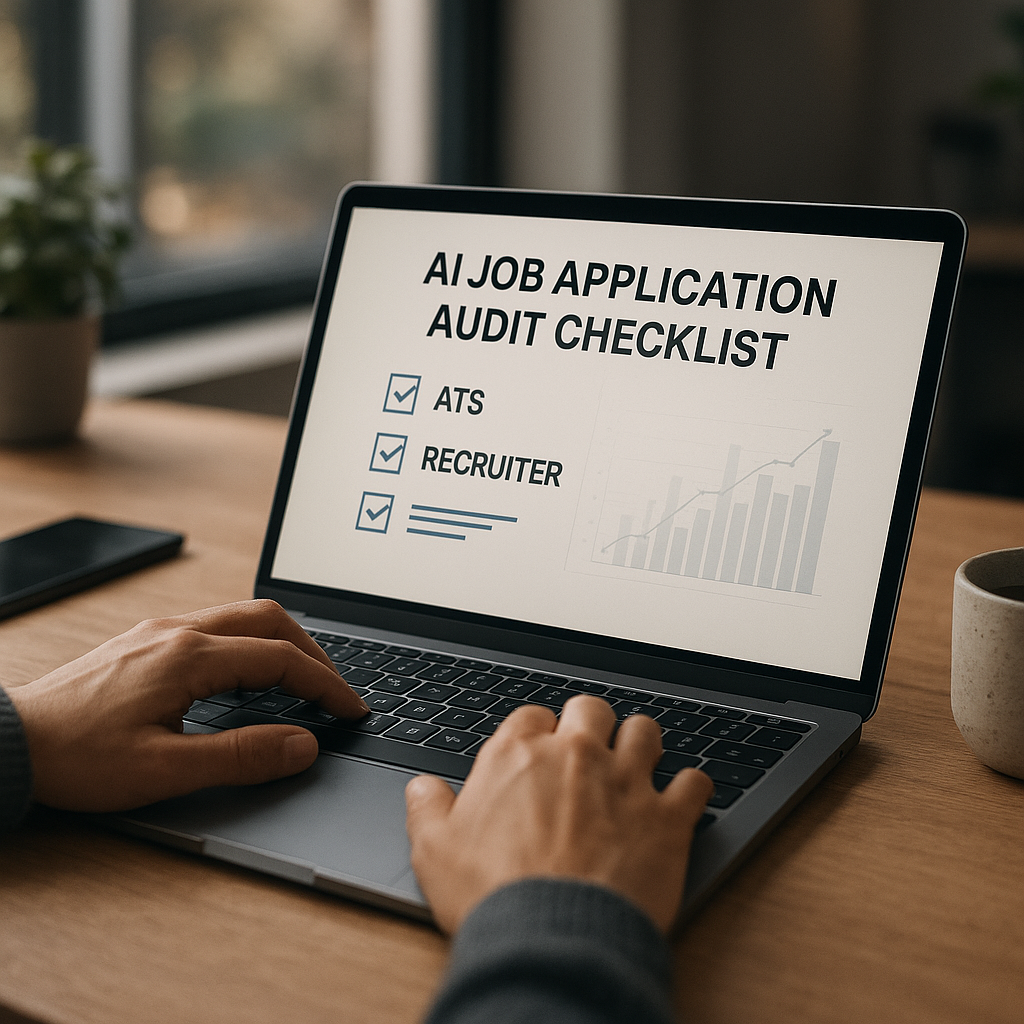
Use ATS scoring + application insights to improve your interview rate (a simple measurement plan)
Most job seekers don’t have an application problem—they have a feedback problem. They apply, hear nothing, and don’t know what to change.
Apply4Me includes:
- ATS scoring
- Application insights/analytics
- Job tracker
Use them like a mini experiment.
What to track weekly (10 minutes)
Create a simple weekly checkpoint:
- Applications sent
- Interviews requested
- Callback rate (interviews ÷ applications)
- Roles with highest ATS alignment (and whether they responded)
Practical benchmark guidance: If you’re applying to well-matched roles and presenting clearly, you should see some signal within a few weeks—screens, recruiter messages, or assessment requests. If you’re getting zero traction after a meaningful sample of applications, your targeting, keywords, or CV structure likely needs adjustment.
Fast fixes that usually move ATS scoring (without faking anything)
- Move core keywords into your Skills section (tools, platforms, methods)
- Add measurable outcomes to 2–4 bullets per recent role (%, $, time saved, volume)
- Match the job’s title language where accurate (e.g., “Customer Success Manager” vs “Client Manager”)
- Add a “Tech/Tools” line if your field uses platforms (CRM, BI, ticketing, design, dev tools)
The point isn’t gaming the system—it’s translating your experience into the format employers screen for.
Interview Assistant: prep for the exact role and company (not generic practice)
Interview prep often fails because it’s too broad: “Tell me about yourself” practice without tailoring to the role’s actual success criteria.
Apply4Me’s Interview Assistant helps users prepare for and navigate interviews by:
- Generating likely interview questions for the specific role and company
- Providing guidance, practice, and feedback to build confidence before/during the process
A practical 30-minute prep routine (use it before every interview)
1. Generate role/company-specific questions
2. Choose the top 6:
- 2 role-skill questions (tools/process)
- 2 behavioral questions (conflict, prioritization, ownership)
- 1 scenario/case question
- 1 “why us/why now” question
3. Draft bullet answers using:
- Situation
- Action
- Result (with a metric)
If you do this consistently, you stop sounding “well-prepared” and start sounding already effective in the job.
Mobile-only vs web-only vs cross-device continuity (what actually works)
Not every job search tool fits every workflow. Here’s a clear comparison of common approaches:
| Approach | Best for | Downsides | Who should choose it |
|---|---|---|---|
| Mobile-only job searching | Quick browsing, saving roles, basic applying | Hard to tailor documents, easy to lose context, harder tracking | Candidates applying to fewer roles or highly standardized applications |
| Web-only job searching | Deep research, document editing, focused sessions | You miss micro-moments (commute/breaks), “apply later” drop-off | Candidates with scheduled job-search blocks and fewer daily interruptions |
| Cross-device (mobile + web continuity) like Apply4Me | Discovery on mobile + execution on web + tracking everywhere | Requires you to maintain a profile and workflow discipline | Most job seekers in 2026 juggling work, life, and multiple applications |
Honest verdict: if you’re applying to competitive roles where tailoring and tracking matter, cross-device continuity is a real advantage—especially when it’s paired with Auto-Apply, ATS scoring, and application analytics. If you apply rarely and only to a handful of roles, web-only may be enough.
A weekly plan you can copy (built for commuting + desk time)
If you want a simple system you can actually maintain, use this:
- Mon–Thu (Mobile, 15 min/day): shortlist roles + update tracker statuses
- Tue & Thu (Web, 45 min): review shortlist → tailor → apply (or use Auto-Apply with review-before-send)
- Friday (Web, 20 min): check insights/analytics → adjust keywords → plan next week’s targeting
- Interview weeks (Mobile + Web, 30 min per interview): use Interview Assistant for role/company questions + practice
This cadence works because it matches real attention spans and real schedules.
Conclusion: make job searching continuous (not a weekend-only project)
The biggest advantage of a job search app mobile and web isn’t convenience—it’s consistency. When you can start on mobile, finish on web, and keep everything synced, you stop losing opportunities in the handoff and start building a repeatable application engine.
Try Apply4Me free to start your job search on your phone and finish on your laptop with your profile, CV, applications, and tracker fully in sync—so you can apply faster without sacrificing quality.
Frequently Asked Questions
What does “start on mobile, finish on web” actually mean in Apply4Me?
It means you can begin your search in the mobile app and continue on the web app (or the other way around) without losing your profile setup, CV, applications, or tracker updates. Everything stays synced so you don’t have to re-find roles or re-upload documents.
Is Auto-Apply just “spray and pray”?
No—Apply4Me’s Auto-Apply matches jobs to your profile and preferences, tailors your CV to each job, generates a tailored cover letter, and tracks every application to prevent duplicates. You can also enable review-before-send so you stay in control of quality.
How can ATS scoring help me get more interviews?
ATS scoring gives you a clearer signal of how well your resume aligns with a role’s keywords and requirements. Combined with application insights/analytics, it helps you adjust targeting and CV language so you improve outcomes based on data, not guesses.
Can I use Apply4Me if I only job search in short bursts?
Yes—short bursts are exactly where a synced workflow helps. You can shortlist roles on mobile in 10 minutes, then switch to web later to review and apply efficiently without restarting the process.

Jorge Lameira
Author