Skills-based resume format for 2026 hiring
If you’re changing careers or your titles don’t match the roles you want, a skills-based resume format can help recruiters see your impact fast. This guide shows what to include, how to structure each section, and how to keep it ATS-friendly in 2026.
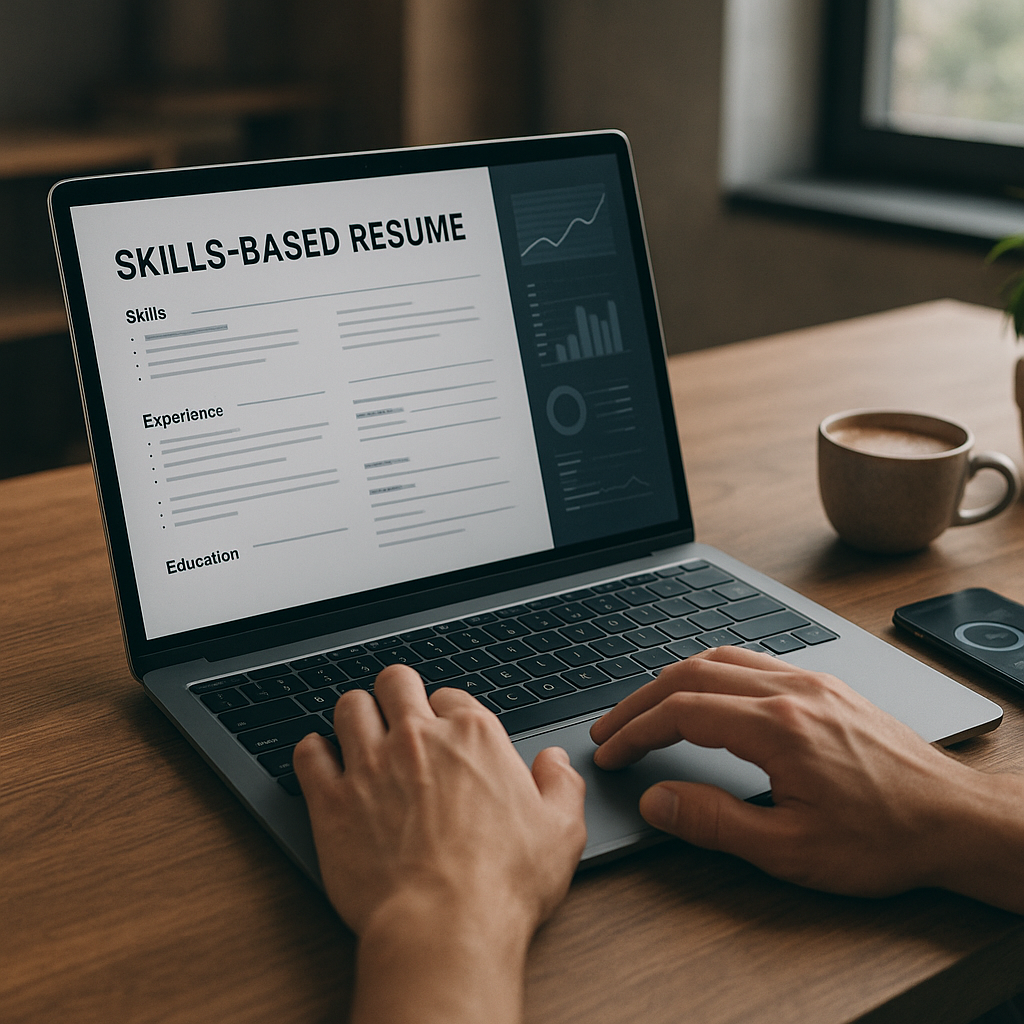
If you’re applying in 2026 and your job titles don’t “match” the role you want, you’re not alone—and you’re not stuck. Recruiters and hiring teams increasingly filter candidates by skills evidence (projects, outcomes, tools) rather than perfect title progression. That’s exactly where a skills-based resume format shines: it lets you lead with what you can do, prove it quickly, and still pass ATS scans.
This guide breaks down what to include, how to structure each section, and how to keep your resume ATS-friendly for 2026 hiring—especially if you’re changing careers, returning to work, or pivoting into a faster-growing field.
What is a skills-based resume format (and who should use it in 2026)?
A skills-based (also called functional or hybrid functional) resume organizes your content around skill groups—like “Data Analysis,” “Client Management,” or “Process Improvement”—instead of listing responsibilities under each job in chronological order.
In 2026, it works best for candidates who need to reframe their story without hiding their experience, such as:
- Career changers (e.g., retail → customer success, admin → operations, teacher → L&D)
- People with non-linear histories (contract work, freelance, multiple short roles)
- Returning professionals (caregivers, military transition, relocation gaps)
- Candidates whose titles undersell their scope (“Coordinator” doing manager-level work)
- Applicants targeting skills-based screening (common in tech, ops, support, healthcare admin)
When it can hurt
A purely functional resume can backfire if it looks like you’re avoiding dates or employers. Many recruiters still want clear context. For most job seekers in 2026, the safest option is a hybrid skills-based layout: skills first, then a concise chronological experience section.
Skills-based vs chronological vs hybrid: which format performs best for ATS and recruiters?
Hiring teams typically scan for three things in under 30 seconds: role fit, proof, and recency. Here’s how each format supports that.
| Format | Best for | Pros in 2026 | Cons / risks | ATS friendliness |
|---|---|---|---|---|
| Chronological | Traditional progression | Easy to verify growth, clear timeline | Titles can block you in pivots | High (simple structure) |
| Skills-based (functional) | Big pivots, gaps, varied work | Highlights transferable skills fast | Can look like you’re hiding something if timeline is unclear | Medium (depends on headings + formatting) |
| Hybrid skills-based | Most career changers | Skills upfront + timeline credibility | Takes more editing discipline | High (if formatted cleanly) |
Verdict: For 2026 hiring, a hybrid skills-based resume format is usually the best blend of recruiter readability and ATS performance—especially when you tailor skills to the job description and include measurable outcomes.
How do you structure a skills-based resume format in 2026? (Section-by-section template)
Below is a practical structure you can copy. The biggest mistake people make is listing skills without evidence. In 2026, “skills” only count if they are demonstrated.
1) Header + target title (make it searchable)
Keep it simple: name, location (city/state is enough), email, phone, LinkedIn, and portfolio/GitHub if relevant.
Add a target title under your name (aligned to the role you’re applying for), such as:
- Customer Success Specialist | SaaS Onboarding | Retention & Support
- Operations Analyst | Process Improvement | Reporting & Automation
This helps both ATS parsing and recruiter scanning.
2) 2–4 line summary that mirrors the job’s priorities
Use a tight, proof-forward summary. Avoid vague claims like “hard-working” or “excellent communicator.” Instead, anchor to outcomes, tools, and domain.
Example (career changer: retail → customer success):
Customer support and sales professional transitioning into Customer Success. 5+ years resolving high-volume customer issues, driving retention through proactive outreach, and training new hires. Known for reducing repeat contacts and improving NPS-style feedback using structured workflows and CRM notes.
3) Skills snapshot (keywords only, not your whole story)
Create a short “Skills” line or bullets that match the role. Keep it scannable and ATS-friendly.
Example (data/ops):
- SQL (basic queries), Excel (PivotTables, Power Query), Looker Studio, Jira, Zendesk, Salesforce, SOP documentation, stakeholder updates
Tip: Don’t overinflate. In 2026, many teams validate skills with work samples, practical tests, or interview tasks.
4) The core: “Skills Highlights” with proof bullets (the part that wins interviews)
This is where the skills-based resume format earns its keep. Create 3–5 skill groups; each group gets 2–4 bullets showing outcomes.
Skill group examples (choose what matches the job post):
- Customer onboarding & retention
- Data reporting & insights
- Process improvement & automation
- Cross-functional communication
- Project coordination
Proof bullet formula (reliable in 2026):
Action + tool + scope + outcome metric
- Built a weekly churn-risk dashboard in Excel/Looker Studio to prioritize outreach; improved follow-up SLAs from 72 hours to 24 hours.
- Standardized onboarding checklist in Notion/Jira; reduced “time-to-first-value” for new clients by 18%.
- Resolved 40–60 tickets/day in Zendesk; maintained 95%+ CSAT while identifying recurring issues for product feedback.
Metrics can be percentages, time saved, volume, error reduction, cost avoidance, or quality indicators. If you don’t have metrics, use credible proxies: cycle time, throughput, defect rate, ticket volume, response time, adoption rate.
5) Professional Experience (keep it, but compress it)
Yes—you still include your timeline. Keep each role to 2–4 bullets focused on scope and credibility. This prevents the “functional resume red flag.”
Example:
Store Supervisor, Company Name — City, ST | 2022–2025
- Led daily operations for a 12-person team; trained and coached new hires on customer issue resolution.
- Partnered with district manager on inventory accuracy and weekly performance reporting.
6) Projects (critical for career changers in 2026)
If you’re pivoting, include a “Projects” section that looks like job experience—because it is evidence.
Example (transition to analytics):
Sales Operations Reporting Project | Self-directed | 2026
- Cleaned and analyzed 15K rows of sales data; created dashboards tracking conversion by channel and rep.
- Documented workflow and assumptions; presented findings with recommendations to improve lead follow-up speed.
7) Education + certifications (keep it relevant)
List degrees, and add role-relevant certs (Google Career Certificates, CompTIA, Scrum, vendor certs, platform badges). In 2026, certs help—but only if your resume shows applied usage.
How to keep a skills-based resume ATS-friendly in 2026 (without sounding robotic)
A skills-based format can confuse ATS if you get creative with layout. Keep it parseable:
ATS-safe formatting rules (still true in 2026)
- Use standard headings: Summary, Skills, Skills Highlights, Experience, Projects, Education
- Avoid tables for main content (some ATS misread them)
- Use simple fonts, black text, and consistent bullet styles
- Don’t put key info in headers/footers only (ATS may miss it)
- Save as .docx unless the application explicitly asks for PDF
Keyword strategy that doesn’t feel like stuffing
In 2026, many ATS and screening tools weigh keyword match plus context. Here’s how to do it cleanly:
1. Pull 12–20 keywords from the job post (tools, skills, outcomes, domain terms).
2. Place them in:
- Skills snapshot (keyword list)
- Skill group headings (mirrors what they search)
- Proof bullets (show usage with outcomes)
Example: If the post says “stakeholder management, dashboards, Jira, root-cause analysis,” don’t just list them. Write:
- Partnered with stakeholders to define KPI definitions; built dashboards and tracked root-cause themes in Jira tickets.
Avoid these ATS traps
- Skill bars (“90% Excel”) and graphics
- One-word bullets with no context
- Keyword dumping (lists of 40 tools you’ve never used)
- Hiding dates (creates trust issues)
Step-by-step: Build your skills-based resume format in 45 minutes
Use this workflow when you’re tailoring for a role.
Step 1: Choose your target job and pull the “must-haves”
Open 1–2 job descriptions for the same role. Highlight:
- Top responsibilities (what you’ll do weekly)
- Tools/platforms
- Business outcomes (retention, revenue, speed, quality, compliance)
Step 2: Pick 3–5 skill groups that match those must-haves
If the job emphasizes onboarding, don’t lead with “Event Planning.” Your groups should sound like the job post.
Examples by role:
- Customer Success: Onboarding, Renewal Support, Account Communications, Issue Resolution, CRM Hygiene
- Operations: Process Documentation, Cross-Functional Coordination, Reporting, Vendor Management
- Marketing: Campaign Execution, Performance Reporting, Content Ops, Lifecycle/Email
Step 3: Write proof bullets using your strongest evidence
Aim for 8–12 proof bullets total across the skill groups.
Quick prompts to extract metrics:
- How many per day/week/month?
- Before vs after?
- Time saved?
- Error rate reduced?
- Satisfaction/quality indicators?
- Revenue retained or upsell assisted?
Step 4: Add a compressed chronological section
List roles, employer, location, dates. Add 2–3 bullets that reinforce credibility and scope.
Step 5: Tailor the top third every time
In 2026, recruiters still decide fast. Tailor:
- Target title
- Summary
- Skill group order (most relevant first)
- 3–5 keywords across the first page
A practical way to tailor faster in 2026: Apply4Me + a skills-first workflow
Tailoring a skills-based resume format is powerful—but time-consuming if you apply to many roles. This is where a structured tool can help you stay consistent and data-driven.
Apply4Me is useful in this specific process because it combines:
- ATS scoring (so you can check keyword alignment before you submit)
- A job tracker (so your customized versions don’t become chaos)
- Application insights (see what’s working and where you’re dropping off)
- Auto-apply options for compatible roles (when you’ve already built strong templates)
- Mobile + web app support (edit and track anywhere)
- Career path planning (helpful if you’re unsure which pivot is most coherent)
- Interview prep tied to your target role (so your “skills highlights” become your talking points)
The goal isn’t to spray applications. It’s to apply smarter: a tight skills-first resume, aligned keywords, and a repeatable system that keeps your versions organized.
Examples: Skill groups that work (and what to write under them)
Here are plug-and-play examples you can adapt.
Example 1: Admin → Operations Coordinator
Process Improvement & Documentation
- Created SOPs for weekly reporting and vendor follow-ups; reduced missed deadlines by standardizing handoffs.
- Built a shared tracker in Google Sheets to monitor task status across teams; improved visibility for stakeholders.
Cross-Functional Coordination
- Coordinated schedules, approvals, and deliverables across 4 departments; kept projects moving with clear status updates.
- Identified blockers early and escalated risks with proposed options.
Example 2: Teacher → Learning & Development
Training Design & Facilitation
- Designed lesson plans with measurable objectives; adapted content based on learner feedback and assessment results.
- Facilitated sessions for diverse groups; improved engagement using interactive activities and check-for-understanding.
Assessment & Outcomes
- Built rubrics and tracked performance data; used insights to target interventions and improve outcomes over time.
Example 3: Retail → Customer Success / Support
Customer Issue Resolution
- Handled high-volume customer requests; resolved complex cases by diagnosing root causes and setting clear expectations.
- Improved repeat-contact rates by documenting issues and proactively confirming resolution.
CRM & Workflow Discipline
- Maintained detailed notes and follow-ups in CRM-style systems; improved handoff quality across shifts.
Conclusion: A skills-based resume is how you control the narrative in 2026
If you’re changing careers or your titles don’t reflect your value, a skills-first approach helps recruiters see your impact quickly—without sacrificing credibility or ATS compatibility. Use a hybrid structure, lead with proven skill groups, quantify outcomes, and keep your experience timeline clear.
Try Apply4Me free to get ATS scoring and a job tracker that keeps your tailored skills-based versions organized—so you can apply faster, stay consistent, and focus on interviews instead of resume rewrites.
Frequently Asked Questions
What is the best skills-based resume format for ATS in 2026?
A hybrid format is typically best: skills and proof bullets near the top, followed by a concise chronological experience section. Use standard headings, simple formatting, and keywords from the job description in context.
Do recruiters dislike functional (skills-based) resumes?
Recruiters can be skeptical of fully functional resumes if the timeline is unclear. A hybrid skills-based resume that still lists employers and dates usually avoids that concern while keeping the focus on transferable skills.
How many skill groups should I include?
Most job seekers do best with 3–5 skill groups, with 2–4 proof bullets each. Prioritize the skills that appear most often in your target job postings.
Should I include a “Skills” section if I already have skill groups?
Yes—keep a short skills snapshot for quick scanning and ATS keyword matching. Then use the skill groups to prove those skills with outcomes, tools, and scope.

Jorge Lameira
Author