LinkedIn hiring manager message template (2026)
Use this LinkedIn hiring manager message template to get replies without sounding salesy. You’ll get copy-and-paste scripts for cold outreach, warm intros, and post-application follow-ups—plus quick personalization rules that improve response rates.

Hiring managers are still reading LinkedIn messages in 2026—but they’re skimming faster, filtering harder, and ignoring anything that feels like a pitch. If you’ve ever sent a “Hi, I’m interested in your company” note and heard nothing back, it’s not you; it’s the message structure.
This guide gives you a linkedin hiring manager message template that gets replies without sounding salesy, plus copy-and-paste scripts for cold outreach, warm intros, and post-application follow-ups. You’ll also get simple personalization rules (the kind recruiters actually notice) and a step-by-step process you can repeat for every role.
Why hiring managers ignore LinkedIn messages in 2026 (and what gets replies)
Most LinkedIn outreach fails for predictable reasons. Hiring managers juggle meetings, interviews, and approvals—so your message must be easy to understand in 10 seconds and easy to respond to in 20 seconds.
The most common “instant ignore” triggers
- It’s about you, not them: long intros, life story, “passionate about…”
- No specific role or team: “I’d love to connect about opportunities”
- Too much friction: asking for a “quick call” with no context
- Generic flattery: “I love your company culture” (without proof)
- Wall of text: more than 5–6 short lines on mobile
What reliably earns responses in 2026
Hiring managers are most likely to reply when you:
- Lead with relevance (role + why you’re a fit in 1 line)
- Prove you did homework (one specific signal: product, team, post, roadmap, job req detail)
- Ask a small, answerable question (yes/no or either/or)
- Make it easy to say yes (two time windows OR asynchronous option)
Think of LinkedIn outreach like a mini “business case”: relevance → evidence → low-friction ask.
The best linkedin hiring manager message template (2026-ready)
Use this as your baseline and customize the bracketed sections. It’s short on purpose.
Template (universal):
Hi [Name] — I’m [Your Name]. I’m exploring the [Job Title] role on your [Team/Org] and noticed [specific signal: project/post/product/job detail].
In my last role, I [measurable result tied to role] using [relevant skill/tool].
Quick question: for this hire, is the team prioritizing [Priority A] or [Priority B] in the first 60–90 days? If it helps, I can share a 1-page example of [relevant work].
Why this works
- It shows intent (specific role)
- It includes proof (measurable result)
- It asks a low-effort question (either/or)
- It offers value without begging (1-page example)
Recommended length
Aim for 350–650 characters (roughly 60–120 words). That fits typical mobile scanning patterns and avoids “see more” truncation in many views.
Cold outreach templates: message a hiring manager you don’t know (with examples)
Cold messages can work in 2026—especially when you avoid the “ask for a call” trap. Your job is to earn a micro-reply first.
Cold outreach template #1: Direct + role-specific (best overall)
Hi [Name] — I’m applying for [Job Title] on [Team]. I noticed [specific signal from job post: tools, KPI, cross-functional partner].
I recently [achievement with metric] (ex: cut time-to-resolution by 22% / shipped X / improved conversion by Y%).
Would you prefer someone strongest in [Skill A] or [Skill B] for the first sprint/quarter?
Personalization ideas that take 2 minutes
- A requirement in the job post (“experience with Databricks” / “stakeholder management”)
- A product update they posted about
- A team initiative mentioned on the company page (AI rollout, new market, platform migration)
Cold outreach template #2: Value-first (when you have a tangible artifact)
Hi [Name] — I’m exploring your [Job Title] opening. I put together a quick [audit/teardown/plan] on [relevant area] based on what I could see publicly.
If you’re open to it, I can send a 1-page summary—would you rather I focus on [Area 1] or [Area 2]?
Use this if you can genuinely deliver something small (not a 12-slide deck). A “1-page” offer reduces perceived effort.
Cold outreach template #3: Shared context without overclaiming
Hi [Name] — I saw you’re leading [Team]. I’ve been working on [adjacent domain] and I’m interested in the [Job Title] role.
Does this hire lean more toward [execution/building] or [strategy/stakeholder alignment] right now?
Warm intro templates: ask a mutual connection (without making it awkward)
Warm introductions still outperform cold messages because they reduce risk for the hiring manager. But your request has to be easy to forward.
Warm intro request template (to your connection)
Hey [Connection Name] — hope you’re doing well. I saw you’re connected to [Hiring Manager Name] who leads [Team] at [Company].
I’m applying for [Job Title] and I think I’m a strong match because [1-line proof: metric + skill].
Would you be comfortable introducing us? If yes, here’s a 2-sentence blurb you can paste:
“Hi [HM Name] — I wanted to introduce [Your Name]. They [achievement] and are applying for [Job Title]. I think they could be a fit for your team—happy to connect you two.”
Warm message template (after the intro is made)
Hi [Name] — thanks for connecting, and thanks [Mutual Name] for the intro.
I’m applying for [Job Title]. In my last role I [metric result] by [how], and I’m especially interested in [specific team priority].
Would it be helpful if I shared [portfolio/1-pager/case study], or is there a key area you’re screening for first?
Post-application follow-up templates (the highest-ROI messages)
If you already applied, you’re no longer “cold.” You’re simply adding context to help them route your resume.
Follow-up template #1: 24–72 hours after applying
Hi [Name] — I applied for [Job Title] (Req ID [#] if you have it). I’m reaching out because [specific alignment to their need].
Most relevant: I [metric achievement] using [skill/tool] and collaborated with [stakeholders].
If you’re the right contact, I’d appreciate any guidance on the best next step. If not, who’s the right person to speak with?
Follow-up template #2: After an interview (thank-you + signal)
Thanks again for today, [Name]. My key takeaway was [their priority/problem].
If helpful, I can send a quick example of [artifact] showing [skill]. Is the team aiming to decide by [timeline], or is there anything else I can clarify?
Follow-up template #3: No response after 7–10 days (polite bump)
Hi [Name] — quick bump on the [Job Title] role. I’m still very interested, especially because [specific reason tied to team].
If hiring is paused or priorities shifted, no worries—just let me know what timing looks like.
Personalization rules that boost response rates (without writing novels)
Personalization isn’t “adding fluff.” It’s adding one relevant detail that proves your message isn’t mass-sent.
Use the 1–1–1 rule
Include:
- 1 specific signal (post, product, job requirement, team initiative)
- 1 metric (impact, speed, scale, growth, cost reduction)
- 1 low-friction question (either/or or yes/no)
Strong signals to personalize with (fast to find)
- The top 3 bullets of the job description (copy the exact phrasing once)
- Hiring manager’s recent post (comment on the substance, not “great post!”)
- Company press release or product launch (tie it to the role’s scope)
- Team tech stack (from employees’ profiles or engineering blogs)
- Common KPI language: activation, retention, time-to-resolution, pipeline velocity, QA defect rate
What not to personalize with
- “I love your mission” unless you can tie it to a specific initiative
- “Your background is inspiring” (feels generic)
- Anything that could sound like surveillance (avoid “I saw you viewed my profile”)
Step-by-step: the 15-minute outreach workflow (repeatable)
This is the exact workflow to send better messages without spending an hour per role.
Step 1: Identify the right person (3 minutes)
- Search the company + department + “manager” / “director” on LinkedIn
- Look for: team lead, hiring manager, or the likely peer manager
- If unsure, message the most relevant manager and ask who owns the hiring
Step 2: Build a “proof bank” (5 minutes)
Create 3 bullets you can reuse:
- Impact: “Improved X by Y%”
- Scope: “Owned X users / X ARR / X tickets/week”
- Tools: “Used SQL, Python, HubSpot, Jira, AWS…” (only what’s relevant)
Step 3: Write the message using the 1–1–1 rule (4 minutes)
- Line 1: role + specific signal
- Line 2: metric proof
- Line 3: either/or question
Step 4: Follow up once (3 minutes)
If no reply:
- Follow up after 5–7 business days
- Keep it under 40 words
- Don’t guilt-trip; just bump and restate relevance
A practical way to scale outreach + applications (without losing personalization)
Here’s the real challenge in 2026: most job seekers aren’t applying to 5 roles—they’re applying to 30–100. That makes it easy to lose track of who you messaged, which version you sent, and when to follow up.
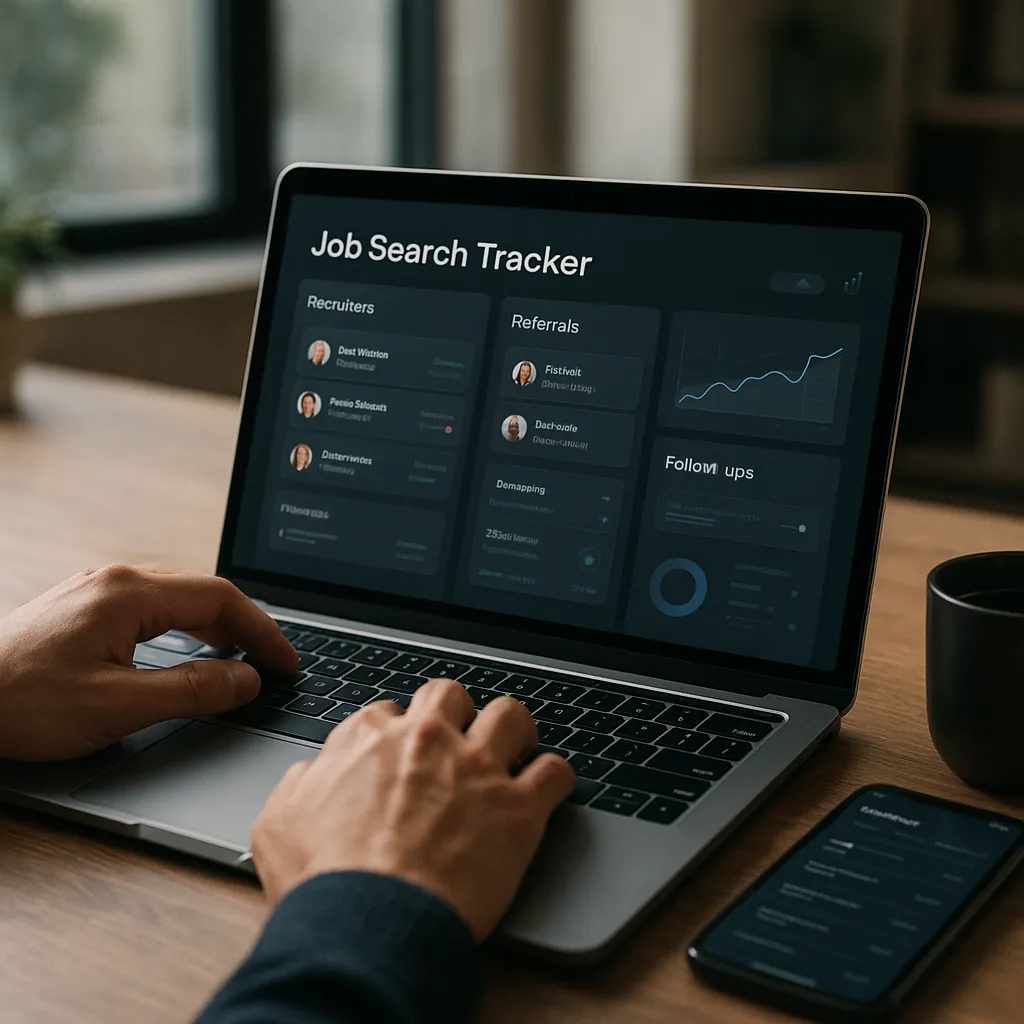
A tool like Apply4Me can help here because it combines:
- a job tracker (so you don’t forget follow-ups),
- ATS scoring (so your resume matches the posting before you message),
- application insights (see what’s working),
- auto-apply for roles that fit your filters,
- mobile + web app access,
- career path planning and interview prep to keep your outreach aligned with your next step—not just your next application.
The key benefit: you can stay organized enough to personalize smartly (1–1–1) without spending all day in spreadsheets.
Should you use AI to write LinkedIn messages in 2026? (Yes—if you do it like this)
AI-written messages are everywhere. Hiring managers can spot them when they’re vague, overly formal, or stuffed with buzzwords. Use AI for structure, not for truth.
Best use cases for AI
- Turn your proof bank into 3 variations (execution vs strategy angle)
- Create either/or questions tailored to a job description
- Shorten a message to under 650 characters
Red flags to remove
- “I hope this message finds you well”
- “I’m reaching out to explore synergies”
- Adjectives without evidence (“highly motivated,” “dynamic,” “results-driven”)
Quick editing checklist (30 seconds)
- Did I name a specific role/team?
- Did I include a metric?
- Is my ask answerable in one line?
- Can I remove one sentence and lose nothing?
Comparison: Apply manually vs use a job search tool to stay consistent
If you’re applying to a handful of jobs, manual works. If you’re running a serious search, tools help you keep the system tight.
Approach | Pros | Cons | Best for |
|---|---|---|---|
Manual LinkedIn outreach + spreadsheet tracking | Free, fully custom, flexible | Easy to miss follow-ups; inconsistent messaging; hard to see patterns | 1–15 applications/month |
Notes app + calendar reminders | Simple, lightweight | Still manual; no resume/ATS feedback loop | People who hate spreadsheets |
Apply4Me (mobile + web) | Job tracker + reminders, ATS scoring, application insights, auto-apply, career path planning, interview prep | Not a replacement for real personalization; requires initial setup | 20+ applications/month and anyone who wants a repeatable system |
Honest verdict: If you’re sending a few targeted messages, a spreadsheet is fine. If you’re applying broadly and want to improve outcomes faster, Apply4Me’s tracker + ATS scoring + insights make it easier to stay consistent and measure what’s working.
Conclusion: your next message should take 5 minutes—not 50
A good LinkedIn message in 2026 isn’t clever. It’s specific, evidence-based, and easy to reply to. Use the universal template, follow the 1–1–1 personalization rule, and send one thoughtful follow-up.
If you want to scale this without losing track of who you contacted, when to follow up, and whether your resume is ATS-ready, try Apply4Me free to track applications, improve your match score, and stay on top of hiring manager outreach in minutes.
Frequently Asked Questions
How long should a LinkedIn message to a hiring manager be?
Keep it around 60–120 words. Hiring managers read on mobile, so short messages with one metric and one clear question tend to get more replies than long introductions.
Should I connect first or message without connecting?
If you can add a short note with a connection request, do it—especially for cold outreach. If LinkedIn limits notes or you already share context (same group, event, mutual), a direct message after connecting can work well too.
What should I say if I already applied and don’t want to be annoying?
Reference the role, share one tight proof point tied to the job requirements, and ask for guidance on next steps or the right contact. One follow-up after 5–7 business days is reasonable; more than that usually backfires.
Is it okay to message multiple people at the same company?
Yes—if you’re strategic. Message the likely hiring manager and, if needed, one recruiter or adjacent team lead, but avoid copy-pasting the same note to five people (it can look spammy if they compare notes).