Job application follow up email templates (2026)
Use these job application follow up email templates to check your status without sounding pushy, whether you applied online, got referred, or completed an interview. Includes timing rules, subject lines, and copy-and-paste messages you can personalize in 2 minutes.
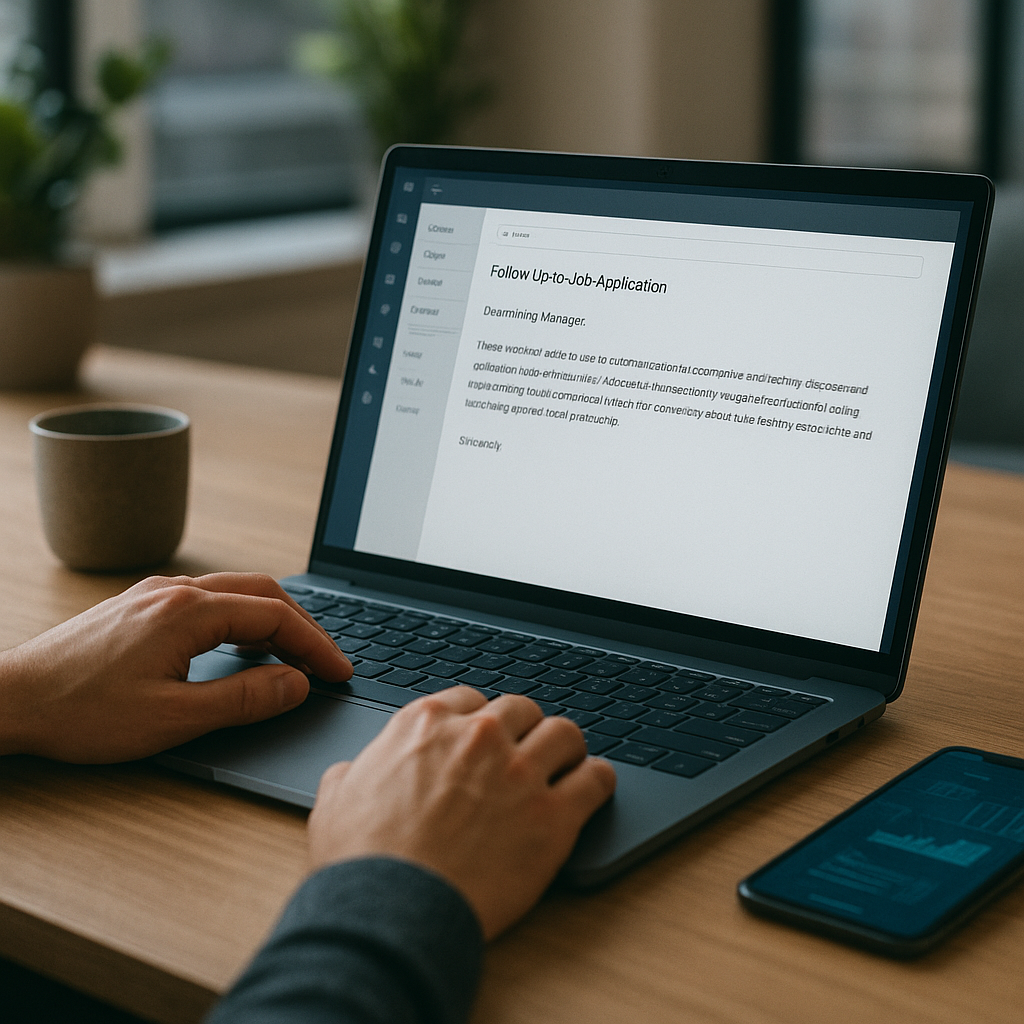
If you’ve ever hit “Submit” and then… nothing, you’re not alone. In the 2026 job market, hiring teams move fast, but their inboxes move faster—and your application can get buried even when you’re a strong fit. The good news: the right job application follow up email templates can help you check your status without sounding pushy, whether you applied online, got referred, or completed an interview.
Below you’ll get timing rules, high-performing subject lines, and copy‑and‑paste messages you can personalize in about two minutes—plus a simple system to track follow-ups so you don’t overdo it or miss your window.
Why follow-up matters in the 2026 hiring process (and what’s changed)
Recruiting in 2026 is increasingly “hybrid”: humans make decisions, but automation shapes what gets seen and when. Many employers now use ATS filters, skills matching, and structured workflows that trigger reminders—yet hiring managers still rely on email, internal chat, and referrals to move candidates forward.
Follow-up emails work when they do three things:
- Reduce cognitive load for the recruiter (clear role + date + next step).
- Add signal, not noise (a relevant credential, portfolio piece, or availability).
- Respect process (timed appropriately and not sent daily).
A well-timed follow-up is also a professionalism cue. In many teams, it’s interpreted as: “This person can manage stakeholders and communicate.”
Job application follow up email templates (2026): the best timing rules by scenario
Timing is the difference between “helpful” and “annoying.” Use these as default rules, then adapt if the employer gave a specific timeline.
If you applied online (no human contact yet)
- First follow-up: 5–7 business days after applying
- Second follow-up: 7–10 business days after the first follow-up
- Stop after: 2 follow-ups (unless you get new info like a referral or updated portfolio)
If you were referred
- First follow-up: 2–4 business days after applying
- Second follow-up: 5–7 business days later
- Extra step: Ask your referrer to nudge once (after your first follow-up)
After a recruiter screen
- First follow-up: 24 hours after the call (thank-you + recap)
- Status check: 5 business days later (unless they gave a date)
After interviews (panel / hiring manager / final)
- Thank-you email: within 12–24 hours
- Status follow-up:
- If they gave a decision date: the next business day after that date
- If no timeline: 5 business days after the interview
- Final follow-up: 5–7 business days after your status check
If the job post closed or you see “Position filled”
- Follow up once to express interest in similar roles and ask to stay in mind.
Two pro timing tips for 2026:
1. Send Tuesday–Thursday in the recipient’s time zone; mornings (9–11 a.m.) are safest.
2. Avoid Monday 8 a.m. (triage mode) and Friday afternoon (weekend drift).
Subject lines that get opened (without sounding needy)
The subject line should be “searchable” in a recruiter’s inbox. Include role title + your name + what you want.
Use these plug-and-play options:
- Follow-up: [Role Title] application — [Your Name]
- Checking in on [Role Title] — application submitted [Date]
- [Role Title] next steps? — [Your Name]
- Thank you + quick follow-up: [Role Title]
- After our interview — [Role Title] | [Your Name]
- Referred by [Referrer Name] — [Role Title] follow-up
Avoid:
- “Just checking in” (too vague)
- “URGENT” (too aggressive)
- “Any update??” (reads anxious)
Copy-and-paste job application follow up email templates for every situation
These job application follow up email templates are written for 2026 expectations: short, scannable, and specific. Personalize the bracketed fields and keep it under 120–160 words whenever possible.
1) Follow-up after applying online (no response yet)
Subject: Follow-up: [Role Title] application — [Your Name]
Hi [Name/Recruiting Team],
I applied for the [Role Title] position on [Date] and wanted to follow up to confirm my application is in the right place.
I’m especially interested in the role because of [1 sentence: specific team/product/mission tie-in]. Relevant to what you’re hiring for, I recently [1 proof point: metric or project].
If helpful, here are links to my resume/portfolio/LinkedIn:
- [Link]
- [Link]
Is there anything else I can provide to support my candidacy, and what does the timeline look like for next steps?
Thank you,
[Full Name]
[Phone] | [LinkedIn] | [Portfolio]
2) Second follow-up after applying (polite “closing the loop”)
Subject: Re: [Role Title] application — next steps?
Hi [Name],
Following up once more on my [Role Title] application submitted [Date]. I know schedules can shift, so I wanted to see whether the team is still reviewing candidates.
If the role is on hold or already filled, I’d appreciate any quick update so I can plan accordingly. Either way, I’m very interested in [Company] and would love to be considered for related roles (e.g., [Role A], [Role B]).
Thanks for your time,
[Full Name]
[Phone] | [LinkedIn]
3) Follow-up when you don’t have a recruiter’s email (workaround that works)
If you applied through a portal and can’t find a direct contact:
1) Search LinkedIn for “[Company] recruiter [function]”
2) Or email jobs@company.com / talent@company.com if listed
3) Or use the hiring manager’s email only if it’s publicly listed and relevant
Subject: Candidate for [Role Title] — application submitted [Date]
Hi [Name],
I applied for [Role Title] on [Date] and wasn’t sure who owns recruiting for this role. Could you point me to the right contact—or let me know if you’re the best person to follow up with?
Quick context: I’m a [your role] with [X] years in [domain], and I recently [metric/proof]. I’m excited about [specific team/company detail].
Thank you,
[Full Name] | [LinkedIn] | [Phone]
4) Follow-up after a referral (use the referral to add signal, not pressure)
Subject: Referred by [Referrer] — follow-up on [Role Title]
Hi [Name],
I applied for [Role Title] on [Date] after speaking with [Referrer Name] from [Team], who suggested I reach out.
Based on the role description, I think I can help with [top requirement]—I recently [proof with outcome/metric]. Would you be open to a brief conversation, or can you share the next steps and timeline?
Thanks for your time,
[Full Name]
[LinkedIn] | [Portfolio] | [Phone]
5) Thank-you + recap after a recruiter screen (this increases “forwardability”)
Subject: Thank you — [Role Title] screen
Hi [Name],
Thank you for speaking with me today about the [Role Title] role. I’m excited about [specific project/team challenge mentioned].
A quick recap of fit:
- [Requirement] → [your proof/metric]
- [Requirement] → [your proof/metric]
If it’s helpful, here’s [portfolio/work sample] relevant to what we discussed: [Link].
What are the next steps, and is there anything you’d like me to prepare in advance?
Best,
[Full Name] | [Phone]
6) Follow-up after a first-round interview (status check that doesn’t sound impatient)
Subject: Following up: [Role Title] interview — [Your Name]
Hi [Name],
Thanks again for the conversation on [Date]. I’m checking in to see where things stand with the [Role Title] process.
Since we spoke, I’ve been thinking about [specific challenge discussed]—one approach I’ve used is [1–2 sentence mini-solution]. If helpful, I can share a short outline or work sample.
Do you have an updated timeline for next steps?
Thank you,
[Full Name] | [LinkedIn] | [Phone]
7) Follow-up after final interview (clear interest + logistics)
Subject: Next steps for [Role Title]? — [Your Name]
Hi [Name],
I appreciated meeting the team and learning more about [specific initiative]. I’m very interested in moving forward and wanted to check whether you have an updated decision timeline.
If useful, I can provide:
- references (ready to share)
- additional work samples related to [area]
- availability for a quick follow-up call
Thanks again,
[Full Name] | [Phone]
8) Follow-up after no response past the promised decision date
Subject: Timeline check: [Role Title] — [Your Name]
Hi [Name],
You mentioned decisions around [Date/Week], so I wanted to follow up and see if the timeline has shifted for the [Role Title] role.
I remain very interested, and I’m happy to provide anything else you need. If the team is still in process, an updated estimate would be appreciated.
Thank you,
[Full Name]
9) “Keep me in mind” email when the role is filled (turn rejection into pipeline)
Subject: Interested in future roles — [Role Title] candidate
Hi [Name],
Thanks for the update on the [Role Title] position. While I’m disappointed I won’t be moving forward, I’m still very interested in [Company].
If there are upcoming roles aligned with [your niche]—especially [Role A/Team]—I’d love to be considered. Here’s my portfolio/resume for easy reference: [Link].
Appreciate your time,
[Full Name] | [LinkedIn]
How to personalize in 2 minutes (without rewriting the whole email)
Recruiters can spot “template energy” instantly—but you don’t need a custom essay. Use this quick personalization checklist:
Add exactly 3 specifics:
1. Role + date (helps them find you fast)
2. One company-specific line (product, team, mission, recent news, or job description requirement)
3. One proof point with numbers (time saved, revenue, cycle time, conversion, tickets closed, uptime, NPS—anything measurable)
Examples of strong proof lines:
- “Reduced onboarding time by 28% by rebuilding the workflow in [tool].”
- “Shipped 12 customer-facing features in 2 quarters and improved activation by 9 points.”
- “Managed a portfolio of 40+ accounts with 96% retention.”
Avoid these personalization traps:
- Overexplaining your entire resume (they have it)
- Apologizing (“Sorry to bother you…”)
- Emotional pressure (“I really need this job”)
Step-by-step follow-up system (so you never miss the window)
A template is only half the battle. The real edge is consistent execution.
Step 1: Decide your follow-up plan the moment you apply
Write down:
- Job title + requisition ID (if available)
- Application date
- Recruiter/hiring manager name (even if unknown yet)
- Your follow-up dates (Follow-up #1 and #2)
Step 2: Create a “one-click” link bundle
Keep a note with:
- Resume link (PDF)
- Portfolio link
- One relevant work sample (case study, GitHub repo, writing sample)
Step 3: Send follow-ups as replies when possible
If you already have an email thread (screen/interview), reply in-thread. It keeps context and improves visibility.
Step 4: Use a light “value add” every other message
Don’t invent value—attach something genuinely relevant:
- a 1-page mini case study
- a short Loom walkthrough (if appropriate in your field)
- a link to a relevant project
Step 5: Stop at the right time
If you’ve sent 2 follow-ups post-application and got nothing, redirect energy to new applications and networking.
This is where a tracker matters. If you’re applying to 20–50 roles, it’s easy to double-email one recruiter and forget another.
Mid-process, a tool like Apply4Me can help you stay organized: it includes a job tracker, application insights, and ATS scoring to spot why some applications stall—plus auto-apply (when you want volume), and both mobile + web so your follow-ups don’t slip when you’re busy. It also offers career path planning and interview prep, which is useful when you start getting replies and need to ramp quickly.
Best tools to track follow-ups in 2026 (comparison table + honest verdict)
You can track follow-ups in a spreadsheet, but specialized tools reduce mistakes and speed up your workflow.
| Tool | Best for | Pros | Cons |
|---|---|---|---|
| Spreadsheet (Google Sheets/Excel) | Simple tracking | Free, customizable, flexible | Easy to forget reminders; no ATS insights; manual effort |
| Notion / Airtable | Power users + dashboards | Great views, templates, lightweight CRM feel | Setup time; reminders require extra configuration |
| Email reminders (Gmail/Outlook) | Single-thread follow-ups | Built-in “snooze” and flags | Hard to manage across many roles; limited analytics |
| Apply4Me | High-volume applications + structured follow-up | Job tracker, auto-apply, ATS scoring, application insights, mobile + web, career path planning, interview prep | Best value when you’re actively applying; some features may be more than you need for 3–5 applications |
Honest verdict:
- If you’re applying to fewer than ~10 roles and have time, a spreadsheet is fine.
- If you’re applying weekly (or across multiple platforms), a tracker with insights and reminders becomes a competitive advantage—especially if it helps you improve your ATS match and consistency.
Common follow-up mistakes that hurt your chances (and what to do instead)
Mistake 1: Sending a follow-up that asks for “any updates” only
Do instead: Ask for a timeline + offer a specific helpful item (work sample, references, availability).
Mistake 2: Following up too soon after applying
Do instead: Wait 5–7 business days unless you have a referral or prior relationship.
Mistake 3: Writing long paragraphs
Do instead: Use 2–3 short paragraphs and a bullet list. Make it skimmable on mobile.
Mistake 4: Being overly casual or overly intense
Do instead: Warm, professional, direct. No guilt language. No desperation.
Mistake 5: Not confirming which role you mean
Do instead: Include role title + date + requisition ID (if available). Many recruiters manage dozens of roles.
Conclusion: use templates—but win with timing + tracking
The best follow-up messages in 2026 are short, specific, and timed to how hiring actually works. Use the templates above to follow up confidently after applying online, after a referral, and after interviews—without sounding pushy. Then systemize it so you send the right message at the right time, every time.
Try Apply4Me free to track every application and follow-up in one place—so you can send smarter, perfectly-timed follow-ups (with ATS scoring and application insights) in just a few minutes to set up.
Frequently Asked Questions
How long should I wait before sending a job application follow-up email?
For online applications, wait 5–7 business days. If you were referred, follow up sooner—typically 2–4 business days—because referrals move faster and are easier to route.
How many follow-up emails is too many?
For most roles, two follow-ups after applying is the limit. After interviews, one thank-you plus 1–2 status checks is reasonable, especially if the employer gave a timeline.
Should I follow up by email or LinkedIn message in 2026?
Email is still the most “process-friendly” channel for recruiters. LinkedIn can work as a backup if you can’t find the right email, but keep it even shorter and avoid sending the same message on both channels the same day.
What if I don’t know the recruiter’s name?
Use “Hi [Hiring Team]” or “Hi [Company] Talent Acquisition,” and include the role title + date applied so they can locate your record. In parallel, search LinkedIn for the recruiter aligned with that function and send a brief routing message.

Jorge Lameira
Author